
Asseco Softlab ERP
one system for the key
processes of your business
The more companies, warehouses and sales channels you run,
the less room there is for a system that loses track.
Companies that chose Asseco Softlab ERP










What is Asseco
Softlab ERP?
Asseco Softlab ERP is a Polish enterprise management system developed by Asseco Business Solutions. It is designed for medium-sized and large companies with complex processes, including multi-branch enterprises and capital groups. The system is scalable, so it grows with the organisation: new companies, warehouses and sales channels join without changing the system.
It combines sales and logistics, finance and accounting, manufacturing, warehouse management, HR and payroll, and CRM. All departments work on shared data, and the system exchanges information with e-commerce platforms, warehouse automation and other solutions used by the organisation. It runs in the cloud, on your own infrastructure (on-premise) or in a hybrid model, where some modules run in the cloud and others on-premise.
See what each area covers
Logistics and sales: from quote to settlement, without manually reconciling prices and stock
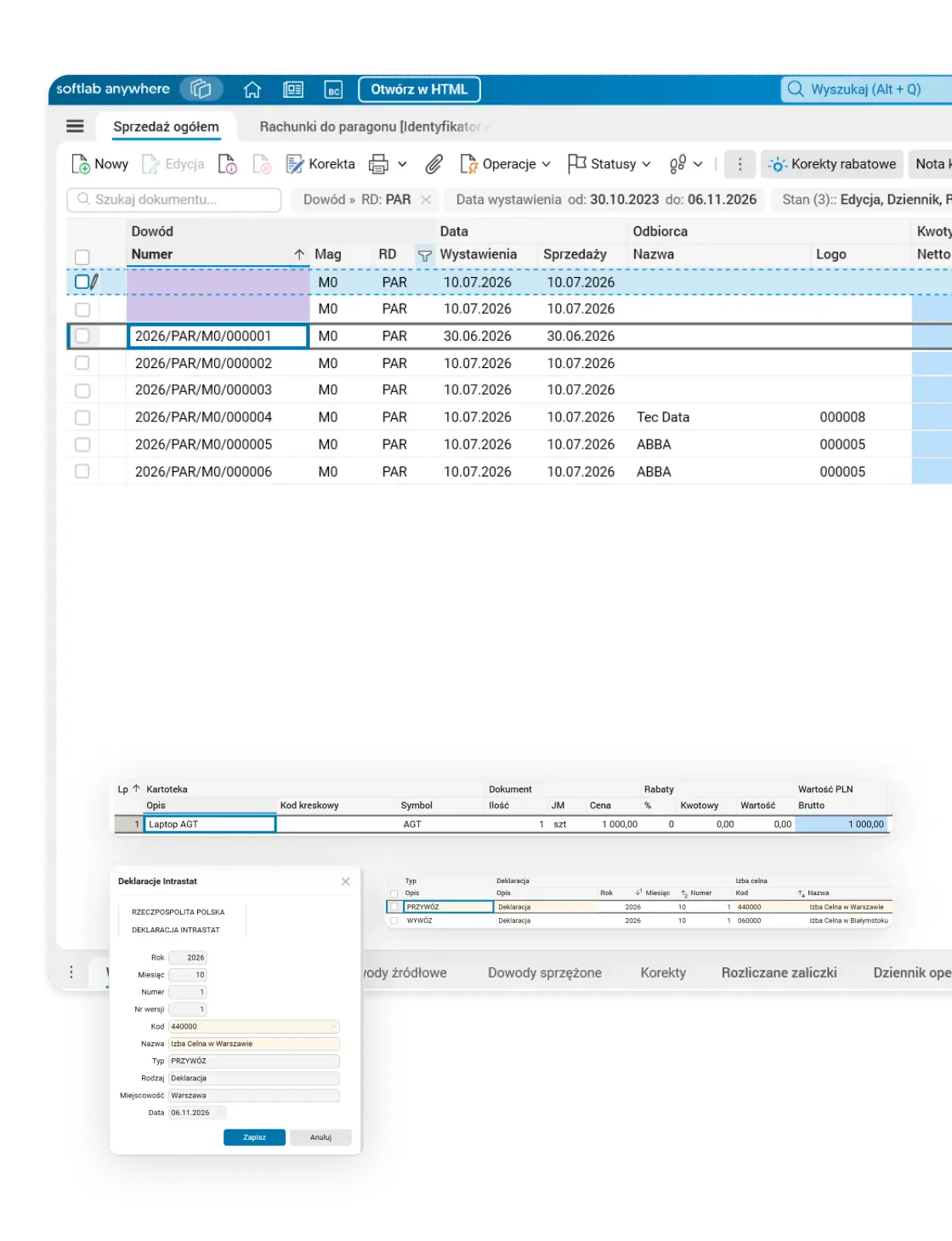
Asseco Softlab ERP runs sales from quote and order through fulfilment, goods issue, invoice and settlement, together with purchasing, inventory, warehouse and pricing policy. Commercial terms and stock availability do not live in disconnected tools. It supports wholesale and retail sales with receipts, domestic and international sales, and orders from online shops and marketplaces.
Quotes and orders
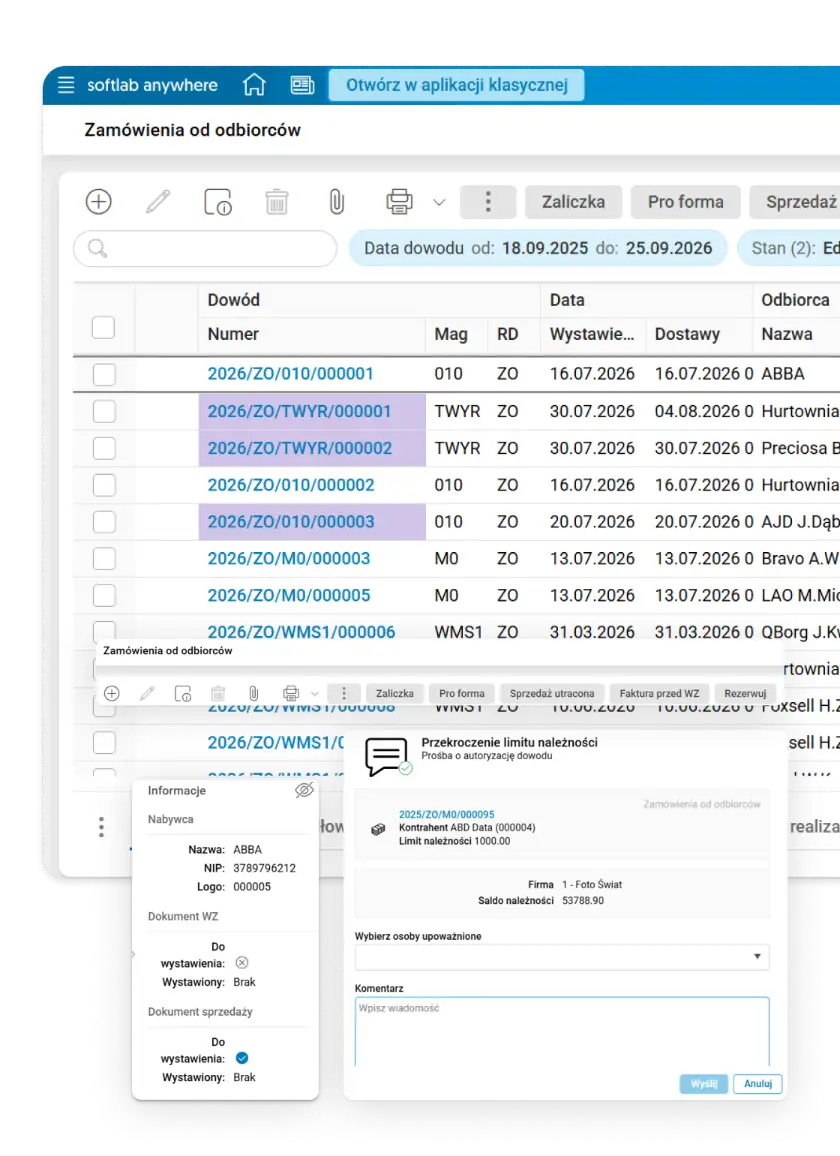
In Asseco Softlab ERP, quotes, orders, advance invoices, goods issues, sales invoices and retail sales form one consistent chain of linked documents, with support for returns, corrections and complaints.
- A workflow that fits your company. Ready-made sales workflows, from order through goods issue to invoice or receipt, can run in parallel, and document types, statuses and links can be adapted to your own processes.
- The system tracks the status. The state and status of each document are visible at every stage, and daily e-mail reports flag overdue orders and orders that cannot be fully fulfilled because of shortages.
- No exception goes through without approval. An exceeded payment limit, a price below the minimum or a quote that needs sign-off: the document waits for authorisation, and the request goes by e-mail with a link to the authorised people, who approve it in a browser. The approval history shows who made the decision and when.
- A sales rep with a tablet at the customer. The mobile sales assistant lets reps browse records, scan barcodes and QR codes, collect goods into a basket with reservation and turn the basket into an order in one step, without going back to the desk.
Prices, discounts and promotions
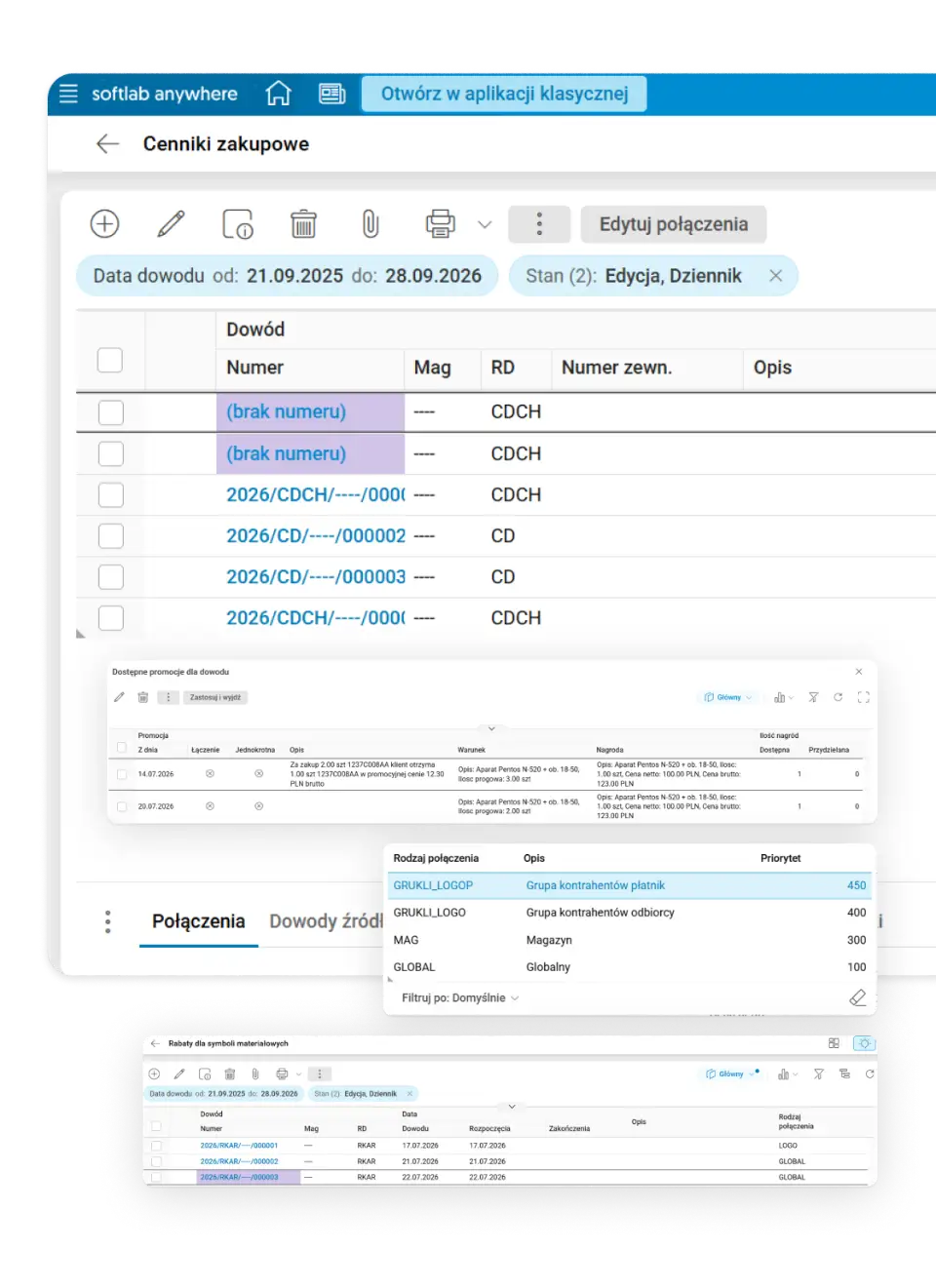
In Asseco Softlab ERP, price lists, discounts, quantity and value promotions, and early payment discounts are defined centrally, globally or individually for a payer, recipient, customer group or warehouse. The system suggests the applicable price and discount on the document and shows where they came from.
- Retrospective discounts without spreadsheets. Post-transaction discounts for achieved turnover are settled with bulk discount corrections: you only select the period, the business partner and the discount rate, and the system prepares the corrections to invoices from that period.
- Promotions as a rule, not an exception. Threshold promotions, “2+1” deals and value promotions for product groups are created with ready-made wizards. The reward can be a discount, a free item or an extra product at a promotional price, and unambiguous promotions are applied automatically.
- Minimum price under protection. A control price list prevents selling below the set minimum price. An exception requires a permission or approval.
- Early payment discounts without manually tracking due dates. Early payment terms move from the commercial terms to the invoice, the system tracks whether the payment arrived on time, and corrections are generated with one command.
Inventory and purchasing
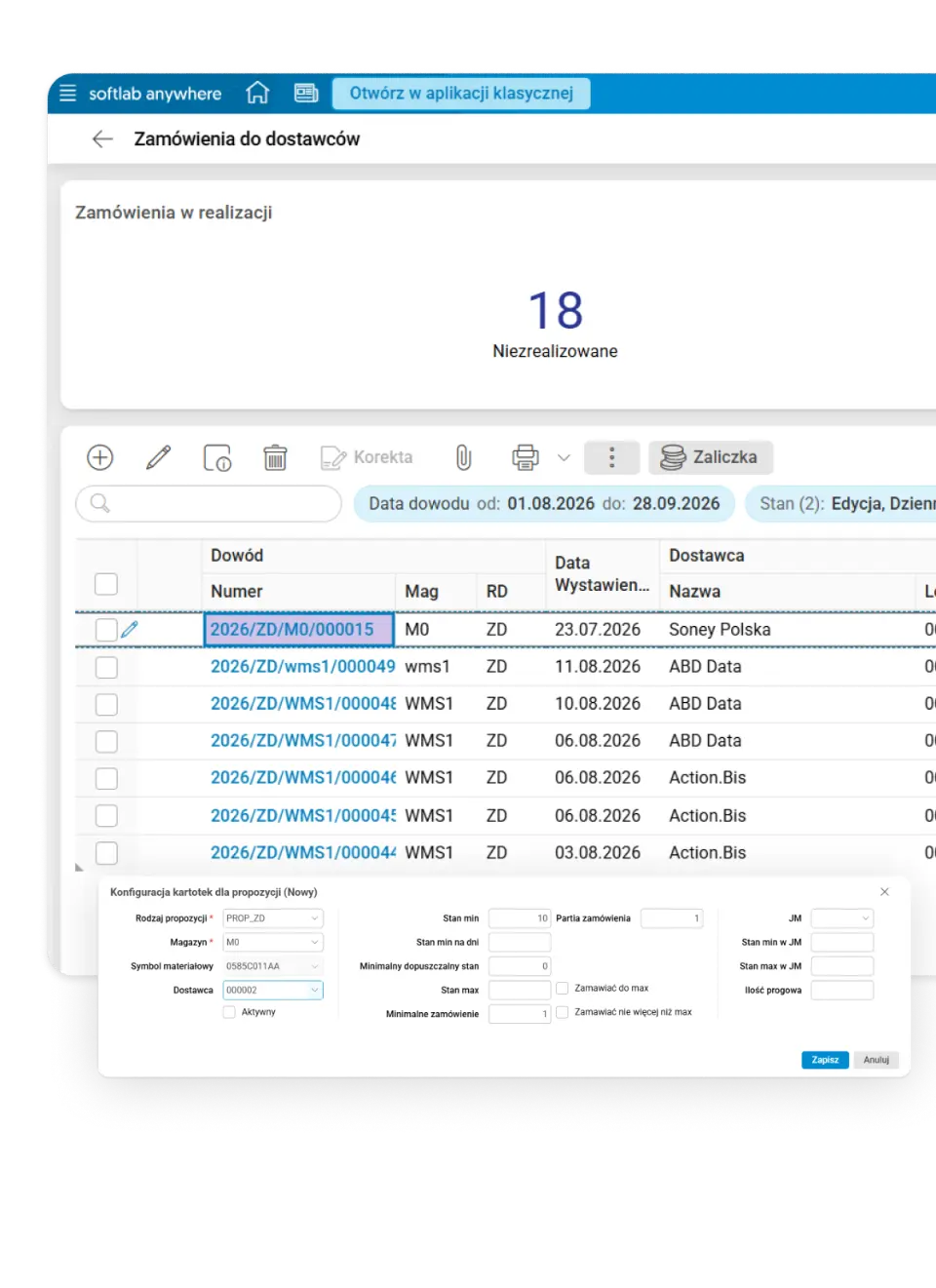
Purchase order proposals combine current stock, customer orders, deliveries in transit, minimum and maximum stock levels and delivery parameters, based on actual sales, not intuition.
- An order tailored to the supplier. The system takes delivery cycles and lead times into account, rounds quantities to full packages and logistic minimums, selects the fastest or cheapest supplier, and turns items the supplier did not deliver into a backorder.
- Shortages do not disappear from the statistics. Unfulfilled quantities from customer orders are automatically recorded as lost sales, so you know how much the company loses on shortages.
- Capital does not get frozen in slow-moving goods. Stock ageing and turnover rankings show which goods have been sitting in the warehouse for a long time before you order the next batch.
- Stocktaking without stopping the warehouse. Perpetual stocktaking runs without blocking stock movements, and the schedule spreads location counts over the following days.
- Margin calculated from the full import cost. Transport, customs duty, excise duty and other purchase costs can be registered on the goods receipt or on the purchase invoice. The system allocates them to delivery items by quantity, value, weight or volume and adds them to the stock value.
- You know when goods from a container go on sale. A container can be assigned to the supplier’s bill of lading. The system shows from when the goods from the container will be available for sale.
Sales
Asseco Softlab ERP supports wholesale and retail sales, at home and abroad. Branches, brick-and-mortar shops and online channels use the same prices, stock levels and documents.
- Receipt, invoice and e-receipt in one process. A receipt can remove goods from stock immediately or be issued for an order or a goods issue document – in that case the goods issue document changes the stock level. Based on the receipt, the system issues an invoice, and with the Businessretail add-on the customer gets an e-receipt by e-mail or text message.
- Export and EU sales without separate tools. Intra-Community supply (WDT) and export invoices, sales in foreign currencies, the Intrastat declaration from sales data and printouts in the customer’s language work as standard.
- Checkout connected to the system. Asseco Softlab ERP works with payment terminals and fiscal printers at the point of sale, also when the application runs on another computer. Fiscal reports and a summary of receipts for a selected period can be prepared in the system.
E-commerce
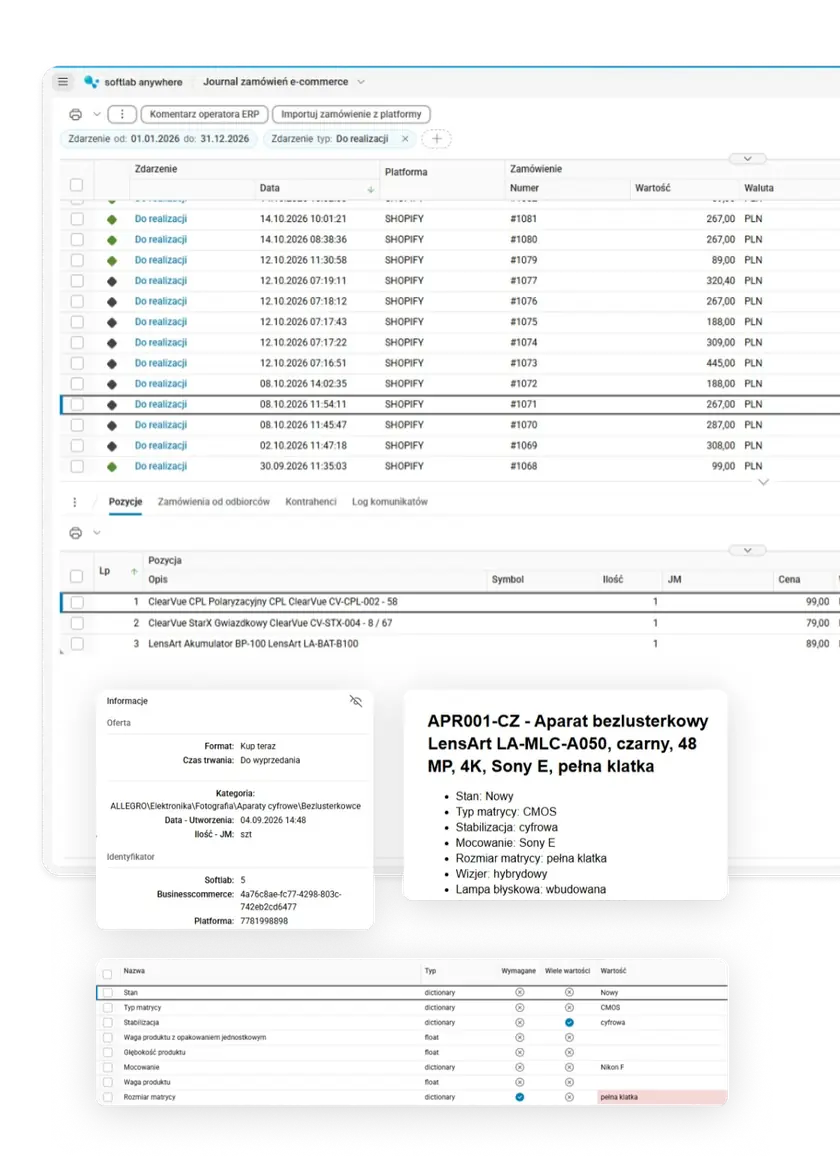
Asseco Softlab ERP collects orders from all online channels – marketplaces, online shops and B2B and B2C platforms – in one list and takes them all the way to shipping and, if needed, to returns. All channels use the same stock levels and prices.
- Over 30 sales platforms from one place. With the Businesscommerce add-on, the system publishes offers, updates prices and stock levels, and downloads orders from over 30 sales platforms, including Allegro, Empik, Otto.de, eBay and Kaufland. Asseco Softlab ERP also has a ready-made configuration for Amazon Vendor Central.
- Shop orders in the ERP within minutes. Orders from shops on the PrestaShop, Shopify and IdoSell platforms reach the ERP automatically within a dozen or so minutes. The system checks address data, payment status and product availability. Other shops are connected via API.
- Asseco’s own B2B and B2C platform. Asseco E-Commerce B2B and B2C are our online sales platforms that work with Asseco Softlab ERP. Wholesale and retail customers place orders online, and the orders go straight to the ERP.
- Labels and couriers without copying data. Businesscommerce connects the system with courier companies, including InPost, DHL, DPD, GLS, UPS and Orlen Paczka. You handle labels, courier orders and shipment tracking directly from the ERP.
Discover Asseco Softlab ERP for e-commerce →
Full list of platforms and couriers →
Analytics
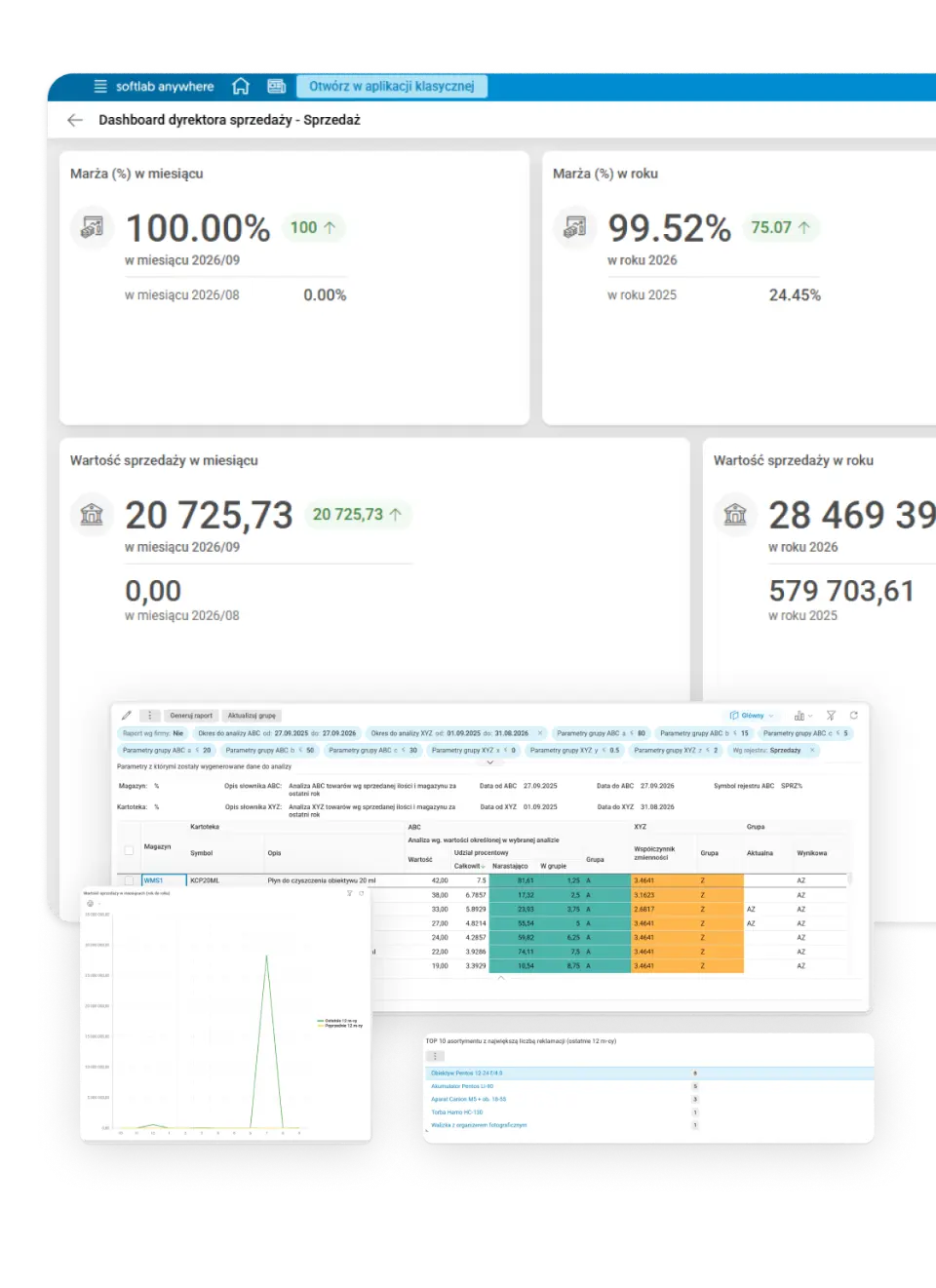
Sales and warehouse analytics are built into the system in table and chart form: sales lines with cost, margin and profit, pivot tables, rankings of customers, products and sales reps, ABC and ABC/XYZ, stock ageing and value, and year-on-year sales.
- ABC/XYZ without an extra tool. Products and business partners are classified using system data, on demand or periodically on a schedule, and the result goes straight into the product record.
- The sales director dashboard on one screen. Tiles show actual sales against plan, year-on-year sales value, warehouse value, order status, and complaints and returns.
- Profitability calculated with corrections, not from the original price. Purchase invoice corrections and bulk supplier discount corrections update the stock value and, when the goods have already been sold, also the cost of goods sold, even after transfers between warehouses. The margin analysis therefore reflects the actual result.
- Sales quality in numbers. The dashboard shows the TOP 10 products and customers with the most complaints, and the price report shows the current prices of all products together with the price list they come from.
Working with MS Office
Asseco Softlab ERP works with the Microsoft Office applications that teams use every day: Excel, Word and Outlook.
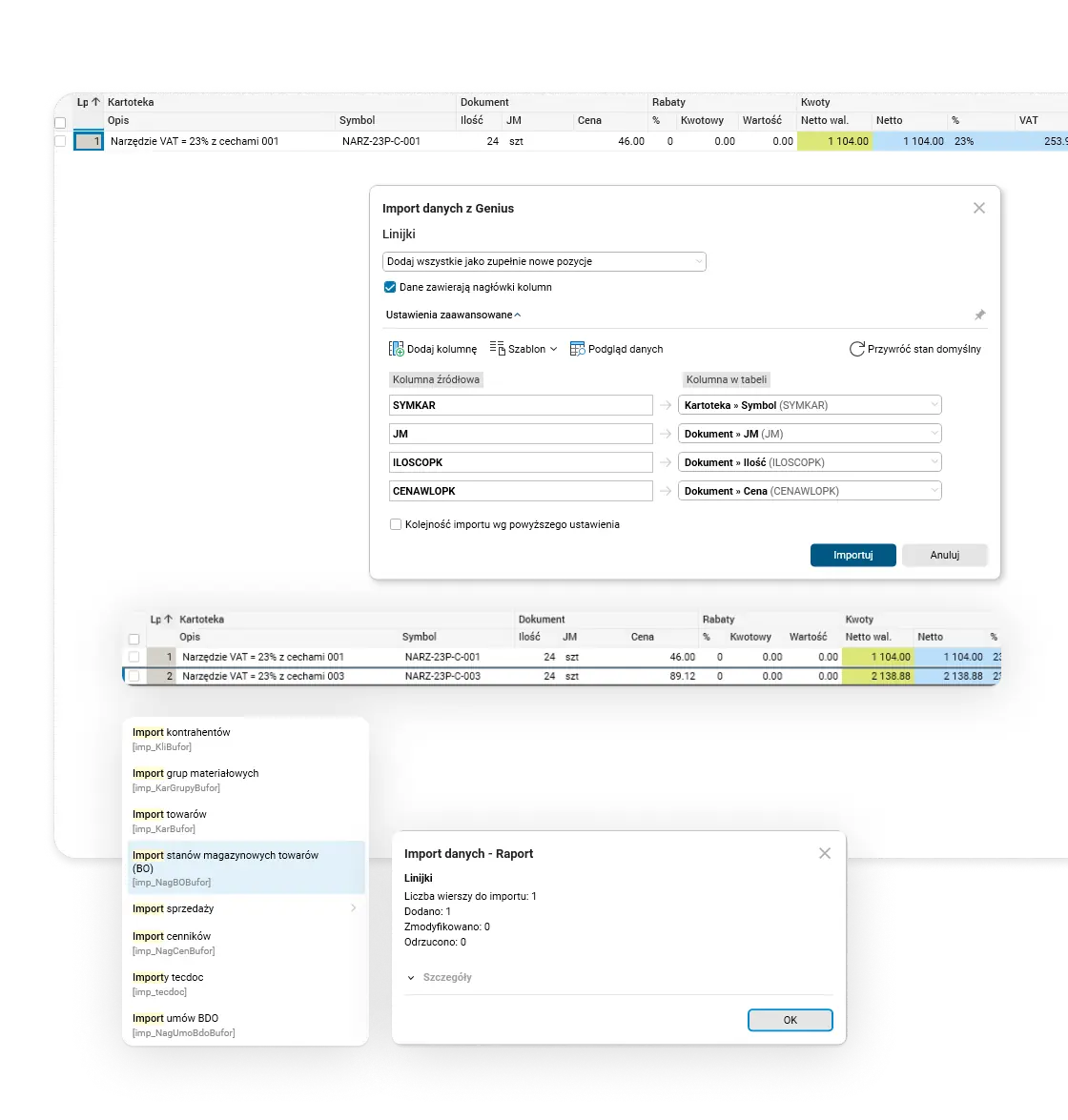
- Starting data from Excel sheets. When the system goes live, you prepare data in XLS sheets and import, among others, business partners, material groups, products, opening stock levels, price lists and sales.
- Excel in everyday work. You can import document items, e.g. orders or purchase invoices, from an XLS or CSV file, also with column selection, or paste them from the clipboard. You can export any table to an XLS, CSV, HTML or DOCX file or copy it to the clipboard. The Arkusz SL add-on lets you work in Excel on data from Asseco Softlab ERP.
- Paste the data – AI recognises what is what. You only need to paste document items from the clipboard, e.g. “NARZ-23P-C-003 24 szt 89,12”. The AI assistant in Asseco ERP recognises the product code, quantity, unit and price and suggests which columns to assign them to. Before the import, the user sees the column mapping and corrects it if needed. After the import, a report shows how many items were added, changed and rejected.
- Your own reports and printouts in Word. You can prepare dedicated reports and printouts in MS Word, and edit DOCX reports from the system directly in Word.
- Correspondence next to customer data. The Outlook integration links e-mails with data in the system, and the CRM calendar synchronises with Exchange.
Finance and accounting: ledgers that result from company operations, not from reconstructing them
Asseco Softlab ERP combines financial, tax and management accounting with receivables and payables, fixed assets, budgeting and controlling, using data linked to sales, purchasing, warehouse, manufacturing and HR.
Financial accounting
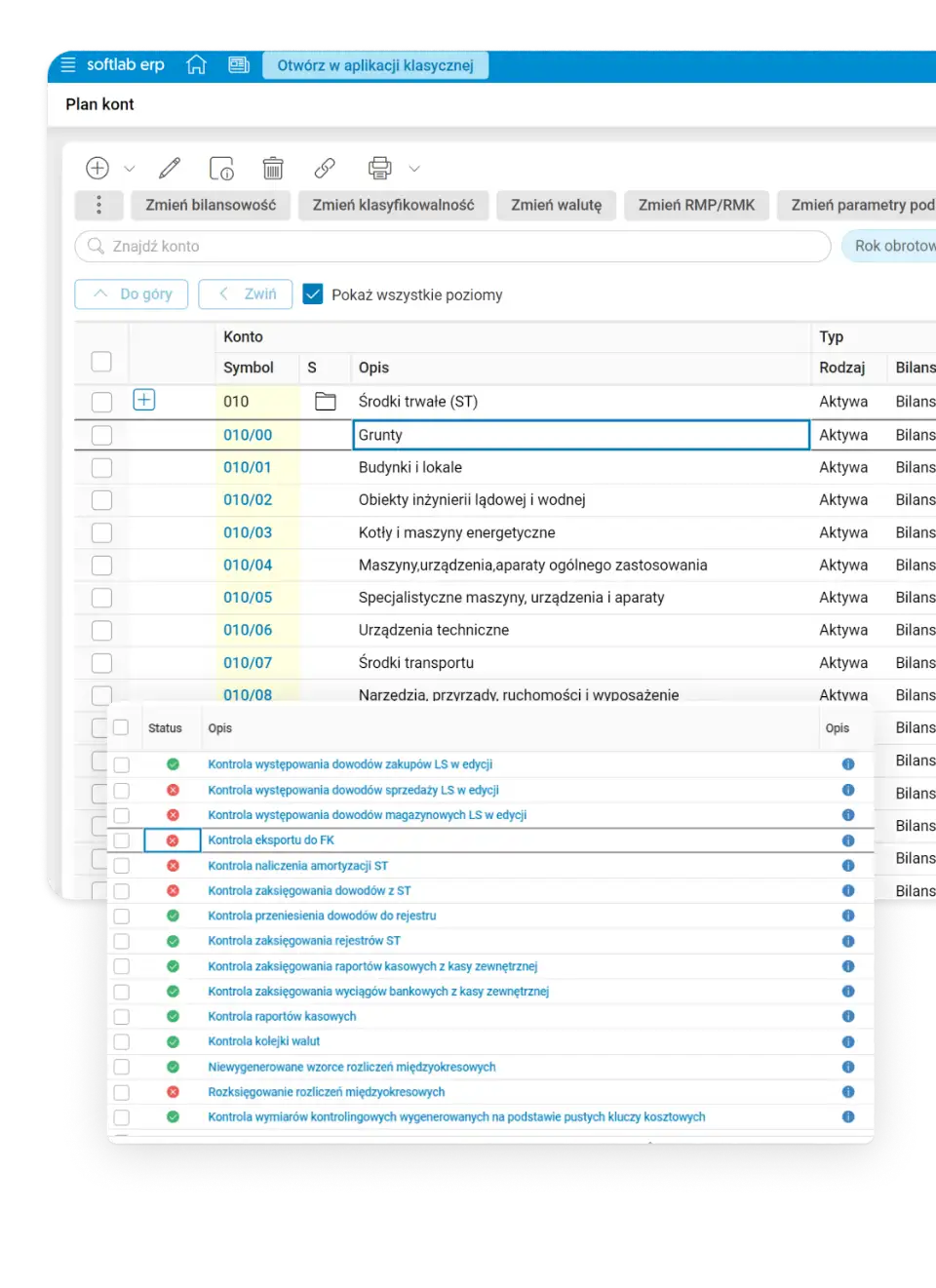
Asseco Softlab ERP supports document posting with configurable schemes. Posting rules can use the document type and data, so recurring transactions are recorded according to consistent rules.
- A document is created once, and the system knows how to post it. Posting schemes create journal entries based on the document type and data, reducing manual work and ensuring consistent recording rules.
- Period closing without searching the whole system for errors. Checks and reconciliations point out discrepancies and documents that need clarification, for example in sales, purchasing, warehouse, fixed assets and VAT.
- Many companies and currencies, one way of working. The system lets you keep separate ledgers for companies and branches and handle foreign currency documents in one ERP environment.
- Shared accounting for many companies. Asseco Softlab ERP supports shared service centres (SSC) and keeps separate ledgers and settlements for each company. The user works in a selected company or handles a process across many companies and switches between companies easily.
Tax accounting
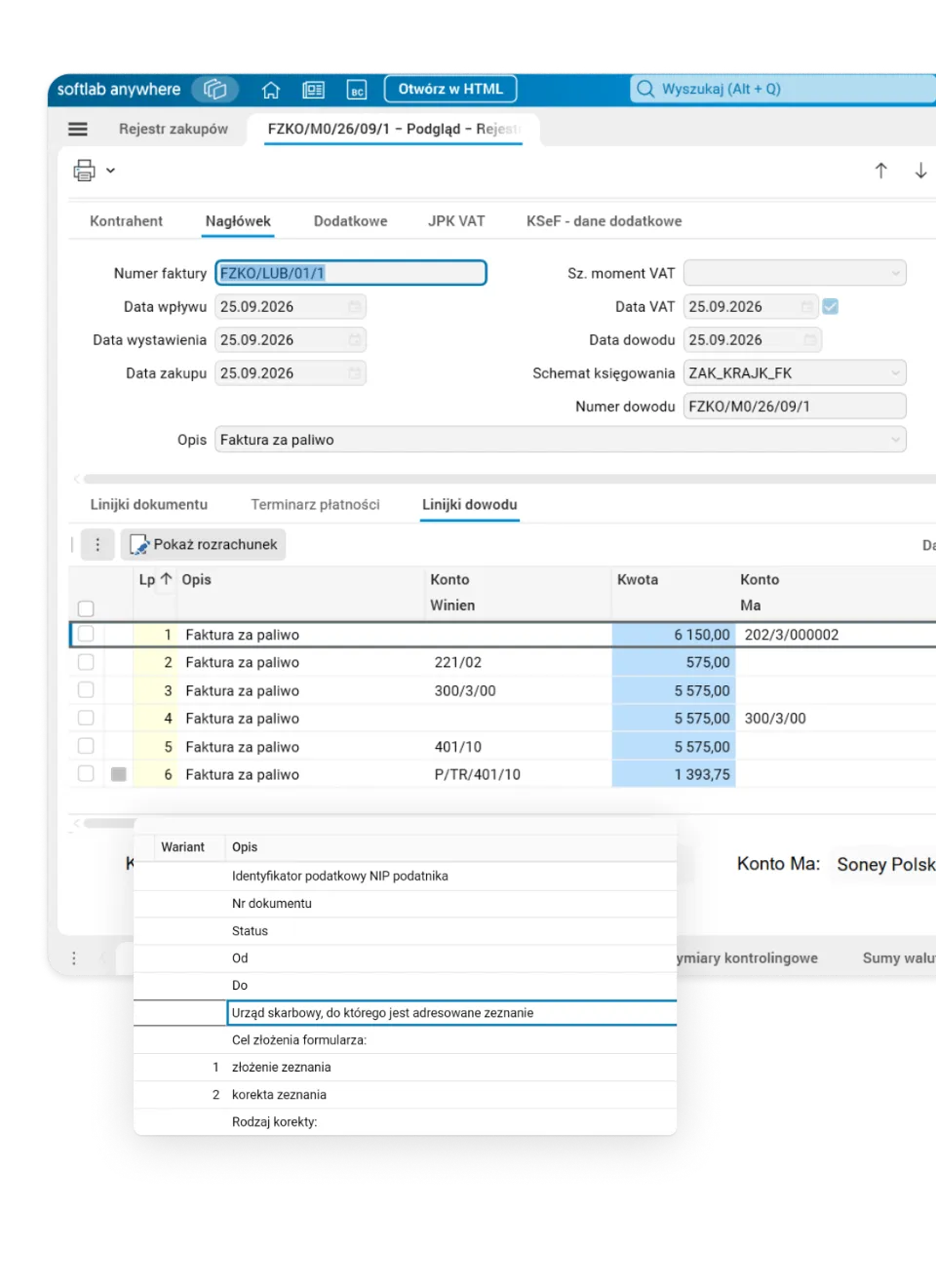
Tax data is created together with accounting entries and VAT documents. Asseco Softlab ERP supports recording differences between the accounting and tax result, VAT settlements, and the preparation of tax returns and the required JPK files (Polish SAF-T).
- CIT calculated from records kept in the system. Off-balance-sheet accounts let you record permanent and temporary differences and other tax values. The collected data is used to prepare CIT returns and JPK_CIT files.
- VAT recorded directly on the document. The VAT section collects amounts by rate, tax dates, deduction rules and required classifications. The same data feeds VAT registers, returns and JPK_V7.
- Tax corrections under control. The system supports proportional VAT deduction, bad debt relief in VAT and CIT, verification of bank accounts on the VAT white list, the split payment mechanism, and electronic filing of returns with UPO (official receipt) download.
Invoices and KSeF
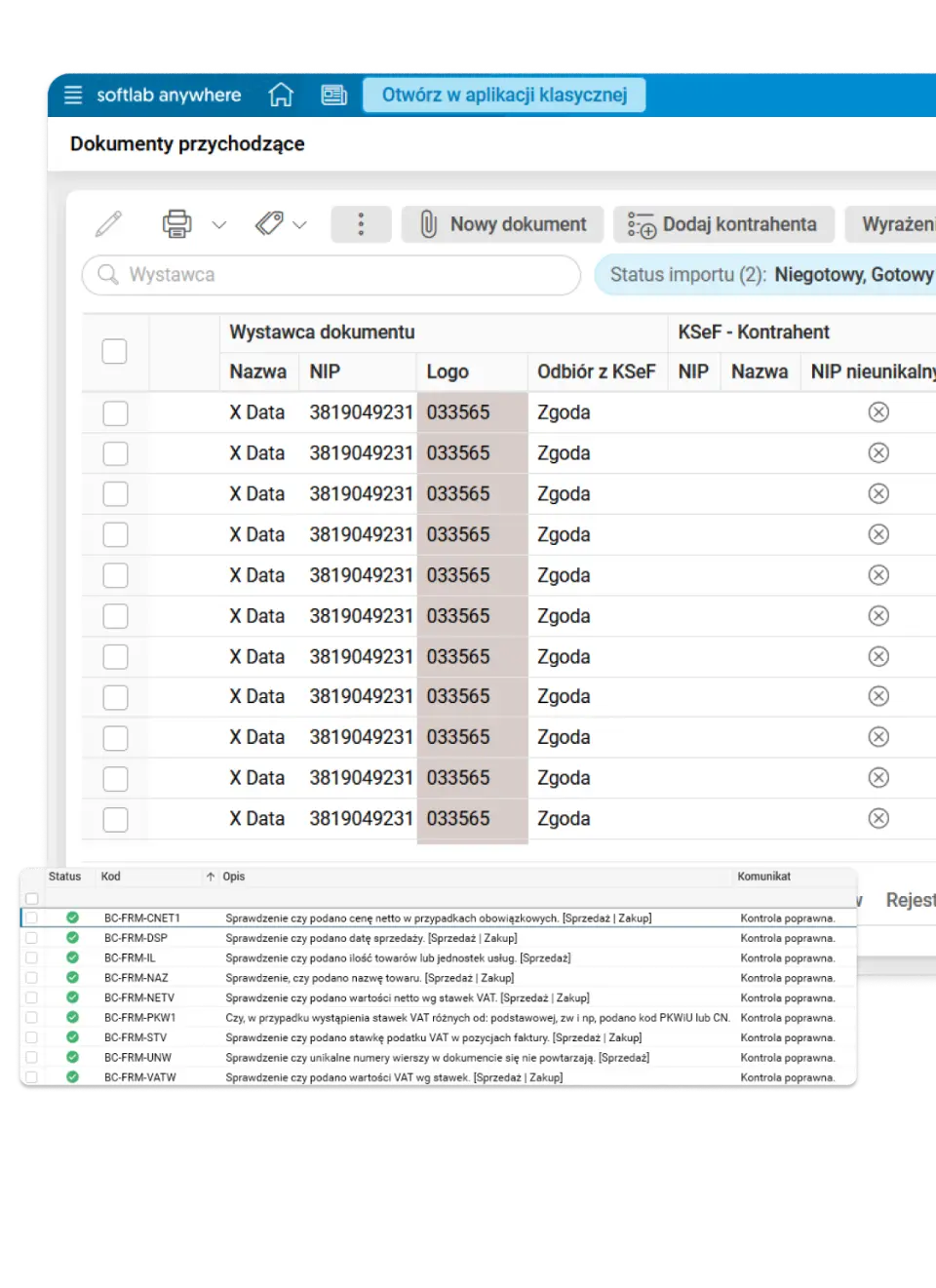
One path for invoices from different sources. Asseco Softlab ERP receives invoices from KSeF (the Polish National e-Invoicing System) through the Businesslink platform (KSeF Integration add-on). Documents sent by e-mail, as PDF files, scans or photos can join the workflow thanks to BusinessOCR. The service reads the data without manual retyping and learns from corrections made by users. The KSeF number stays linked to the invoice in the system, and using it automatically for payments requires the Businessbank service.
- Checks before further processing. Businesscheck verifies invoices sent to and received from KSeF. It uses almost 50 rules covering, among others, business partner data, VAT, the white list, VIES and compliance with the KSeF format. It also checks potentially dangerous links and QR codes. The check result shows whether the document is correct, needs attention or contains an error.
- Automation for cost invoices too. Identifying an invoice does not tell you what the cost relates to and who should approve it. Asseco Softlab ERP lets you route the document to the right people, add a description and assign the cost to the right areas. After approval, the data is used for verification, posting and payment preparation.
- Less routine, full control. Rules and AI support categorisation and accounting descriptions, and the organisation decides which steps run automatically and which wait for approval. Statuses, operation history and notifications help track an invoice from receipt to posting and catch documents that need attention.
Receivables and payables
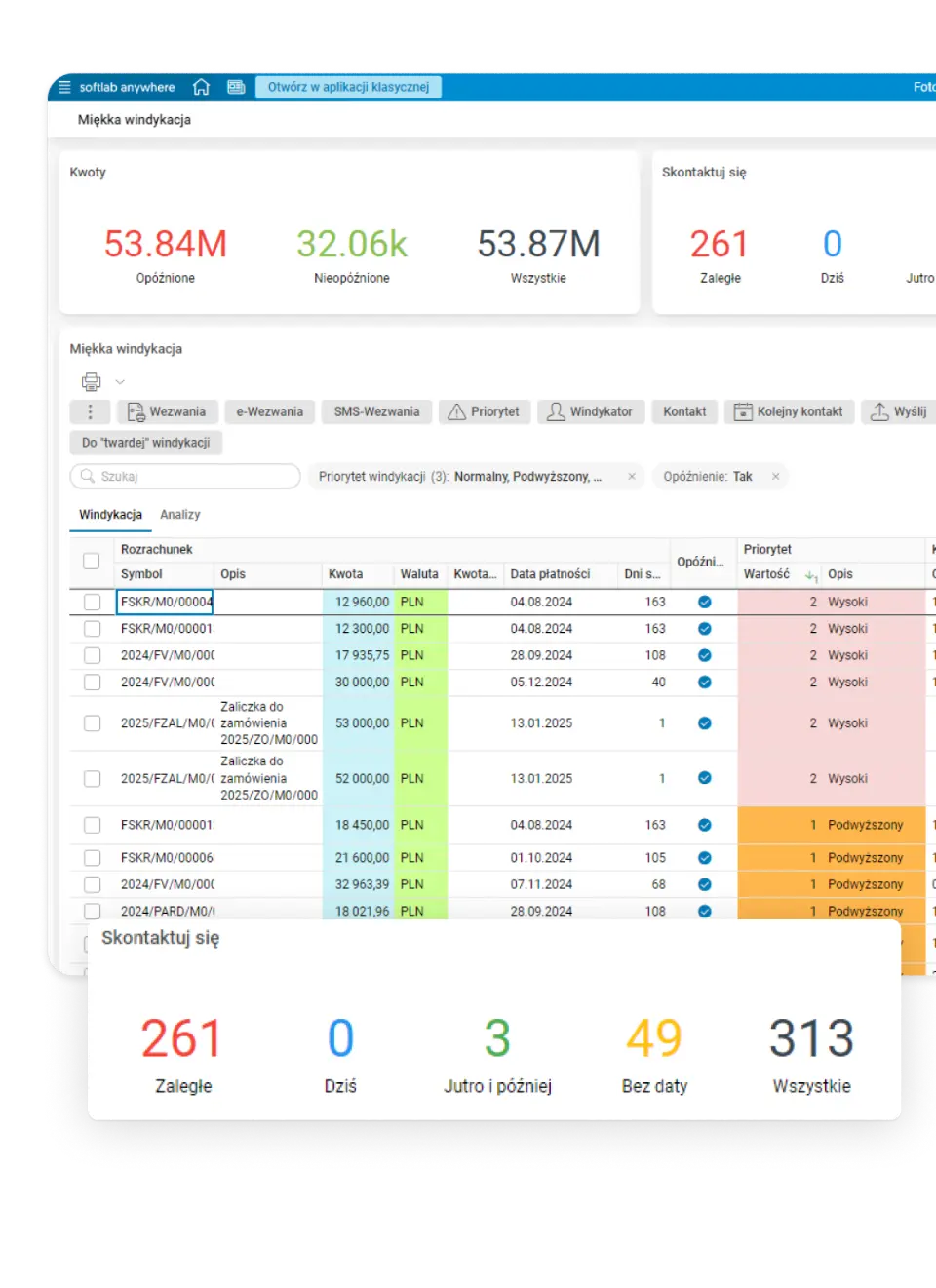
From balance to action. Asseco Softlab ERP combines receivables and payables management with payments, overdue analysis and debt collection. Users see which documents make up a balance, what has been paid and what amount is still outstanding. They can also check balances on a selected date and analyse receivables ageing.
- Settlements without manually matching every payment. The system automatically matches corresponding items, and for the rest it provides tools for partial settlements and offsets.
- Debt collection you can plan. The system supports payment reminders and demands, assigning a responsible person, planning contacts and recording completed actions. Letters and reports can be generated on a schedule.
- Interest, currencies and write-downs linked to the receivable. Asseco Softlab ERP supports interest calculation, posting realised and balance sheet exchange differences, and creating and releasing impairment write-downs. Write-downs can be calculated in bulk according to defined rules.
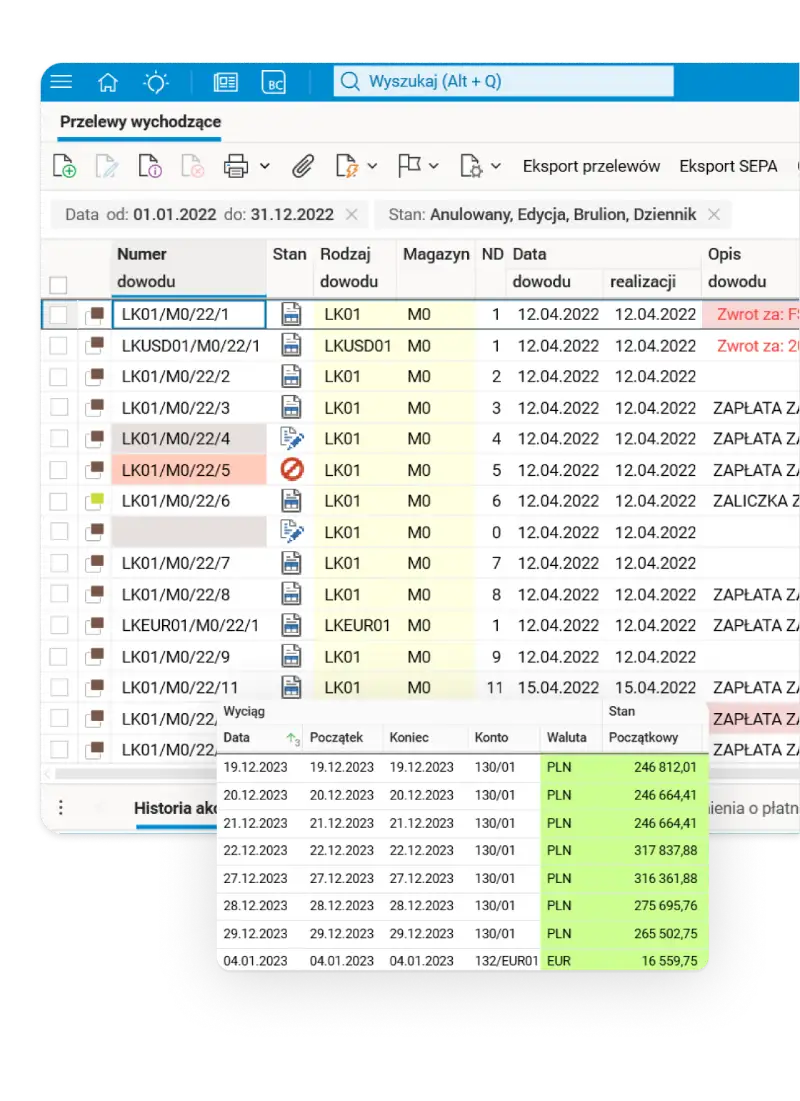
Payments
From liability to a settled bank statement. You prepare transfers in Asseco Softlab ERP, and the Businessbank service sends them to the bank and downloads statements, balances and transfer statuses. Bank transactions are posted and settled against receivables and payables in the ERP. Payments are handled for business partners, employees, the Social Insurance Institution (ZUS) and tax offices, in PLN and foreign currencies, including SEPA transfers and split payment.
- Transfers are created from liabilities. The system lets you generate them from open items, also in bulk, and prepare batches for the bank. Before sending, the user can check that the amount matches the current balance, that the assigned business partner account is active and that it is on the white list.
- The KSeF number moves from the invoice to the payment (requires Businessbank). For a transfer paying a single invoice, the system can automatically put its KSeF number in the payment title. For a payment covering several invoices, a collective identifier shows which documents the transfer relates to, and the recipient can identify their numbers from the identifier shown on the bank statement.
- Bank statements return to the general ledger. Bank transactions can be imported from files or, with the Businessbank service, downloaded directly from the bank. The system supports posting them and settling open items, and the PDF version of the statement can be downloaded together with it.
- Bulk e-commerce payouts can be broken down into transactions. Importing settlements from payment operators helps assign payments to online sales and record fees. The system can also link a payment to an invoice using the order number, even when the invoice is created later.
- Currencies without manually tracking every incoming and outgoing payment. A FIFO currency queue supports settling funds on foreign currency accounts. The system lets you calculate and post realised and balance sheet exchange differences.
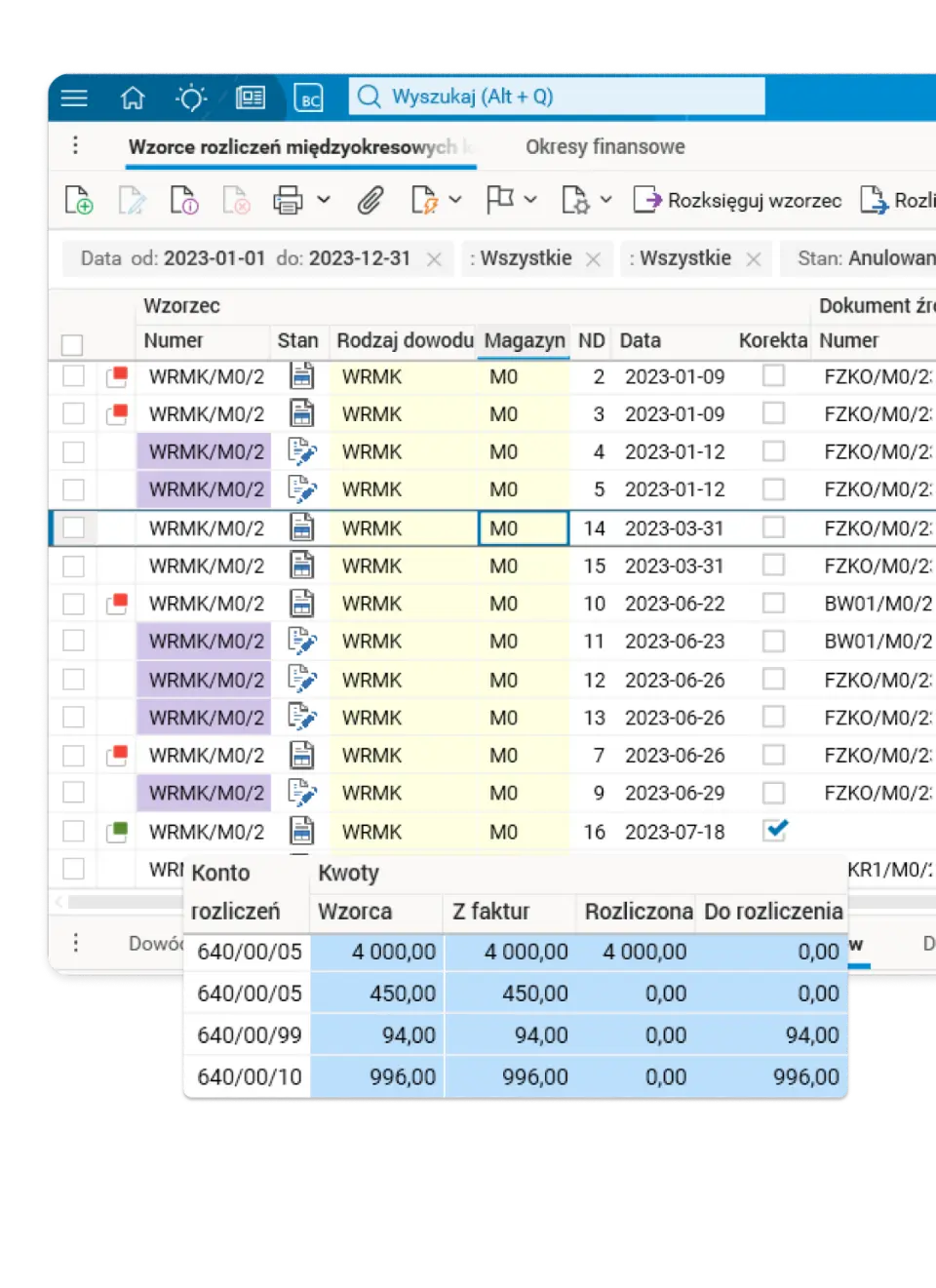
Accruals and deferrals
Asseco Softlab ERP supports recognising costs and revenues in the right periods. Accrual and deferral templates link the source document with the write-off schedule, completed postings and the amount still to be settled.
- The template is created from the document. For prepaid expenses, the system can create a template from a posted invoice or another document. Templates for accrued expenses can be prepared from expected costs or revenues.
- Write-offs on schedule. Based on the template, the system generates periodic accounting documents. The user sees the dates and amounts of planned instalments and the write-offs already made.
- Change the plan without losing history. You can adjust a template, even a partially settled one, or end the settlement before the date set in the schedule.
- Balance control on the balance sheet date. The system shows the settled amount and the amount still to be settled, and supports splitting the balance into short-term and long-term parts.
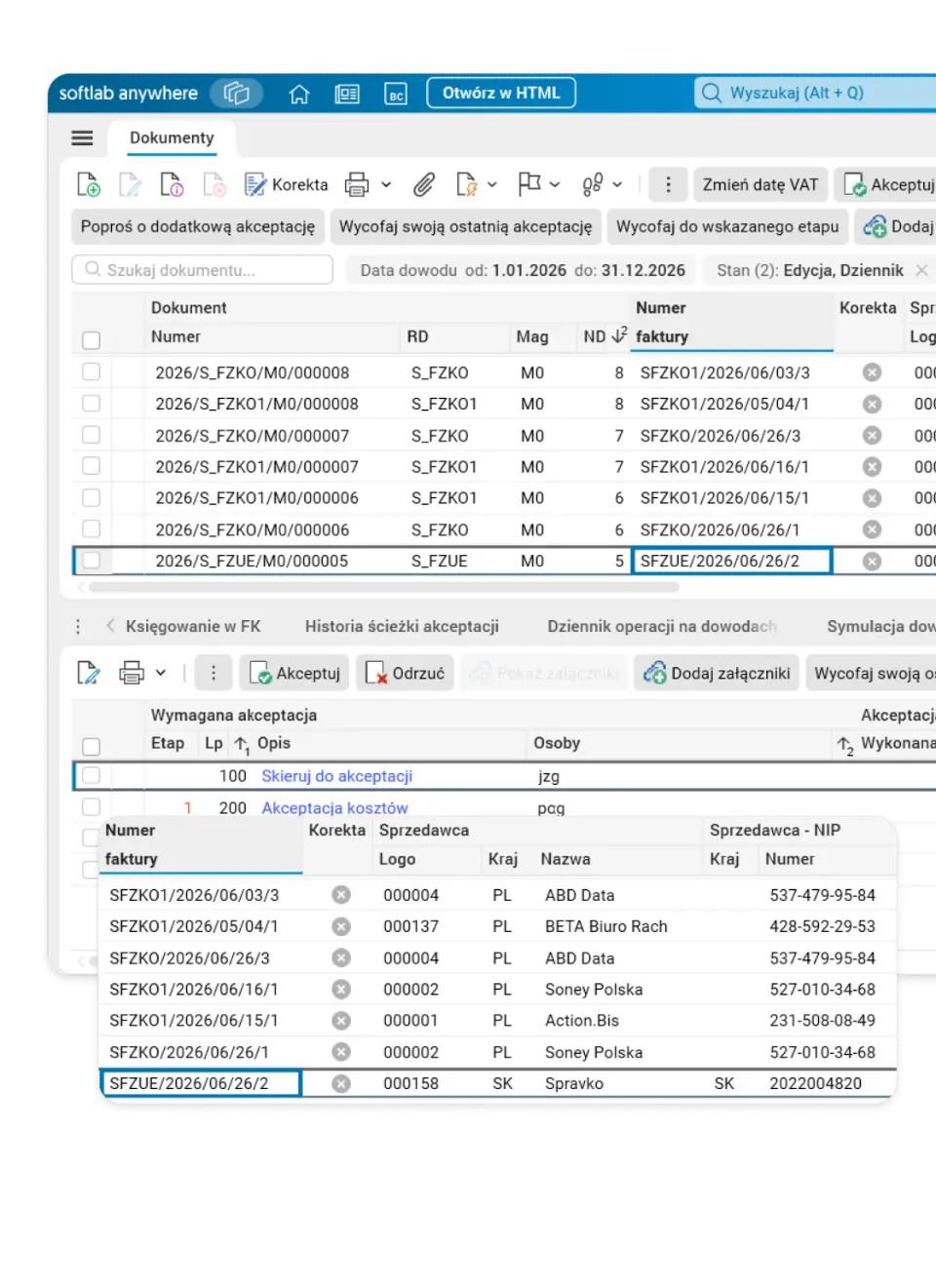
Document workflow
Purchasing under control, from request to posting. SEOD connects employees, approvers and accounting in an electronic document workflow. Purchase requests, cost invoices and contracts have paths suited to their purpose. Documents and tasks waiting for a decision are available in a browser and on mobile devices.
- A purchase request starts the right path. An employee reports a purchase need and selects its category, and the system sets the approval and fulfilment path. The request status stays visible to authorised people, and an invoice can be linked to it later.
- A cost invoice can be submitted by the person who knows the purchase. For simple documents, the employee enters only the necessary data and passes the invoice on for approval. When the workflow ends, accounting verifies it and records it in the general ledger, using the document and the information collected.
- Decisions stay with the document. Users see the approval path and history and can add comments and attachments. Notifications and reminders help catch documents waiting to be processed.
- Contracts without a paper signature workflow. Once the contract content and the company representatives are agreed, the required approvals can be completed and the document sent for a qualified electronic signature with SimplySign.
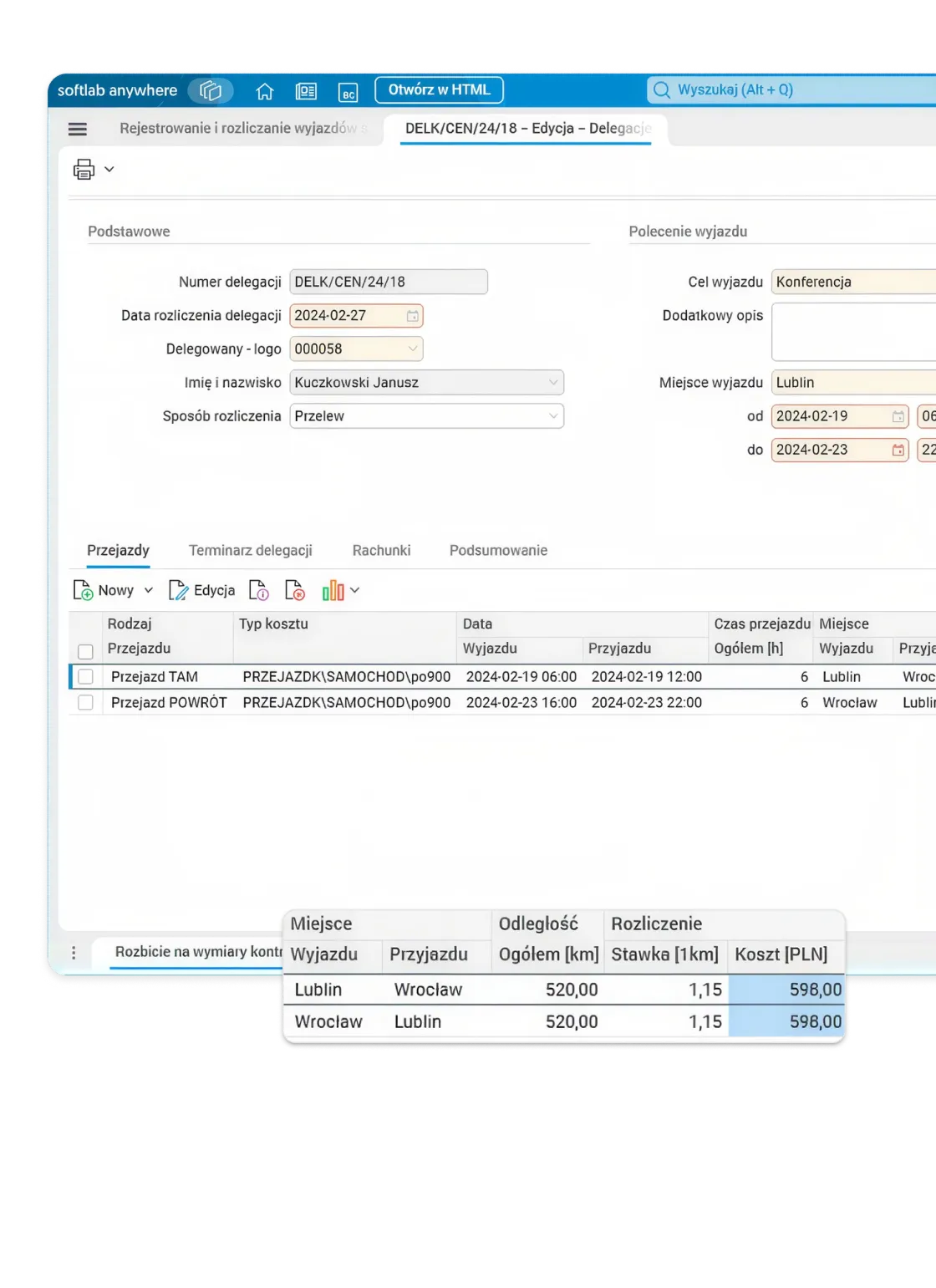
Business travel
Asseco Softlab ERP handles domestic and foreign business trips, from the trip plan to expense settlement and posting in the general ledger.
- Plan and advance before the trip. The employee prepares a travel plan and an advance request.
- Expenses added after the trip. After the trip, the employee adds journeys, accommodation, receipts and other expenses, and the system calculates the settlement items from the entered data and rates.
- Approval and posting in one workflow. The business trip goes for approval, then for verification, settlement and posting in the general ledger. The whole process can run in the SEOD portal.
- Everything visible with the trip. The related advances and travel costs stay visible with the business trip document.
Controlling
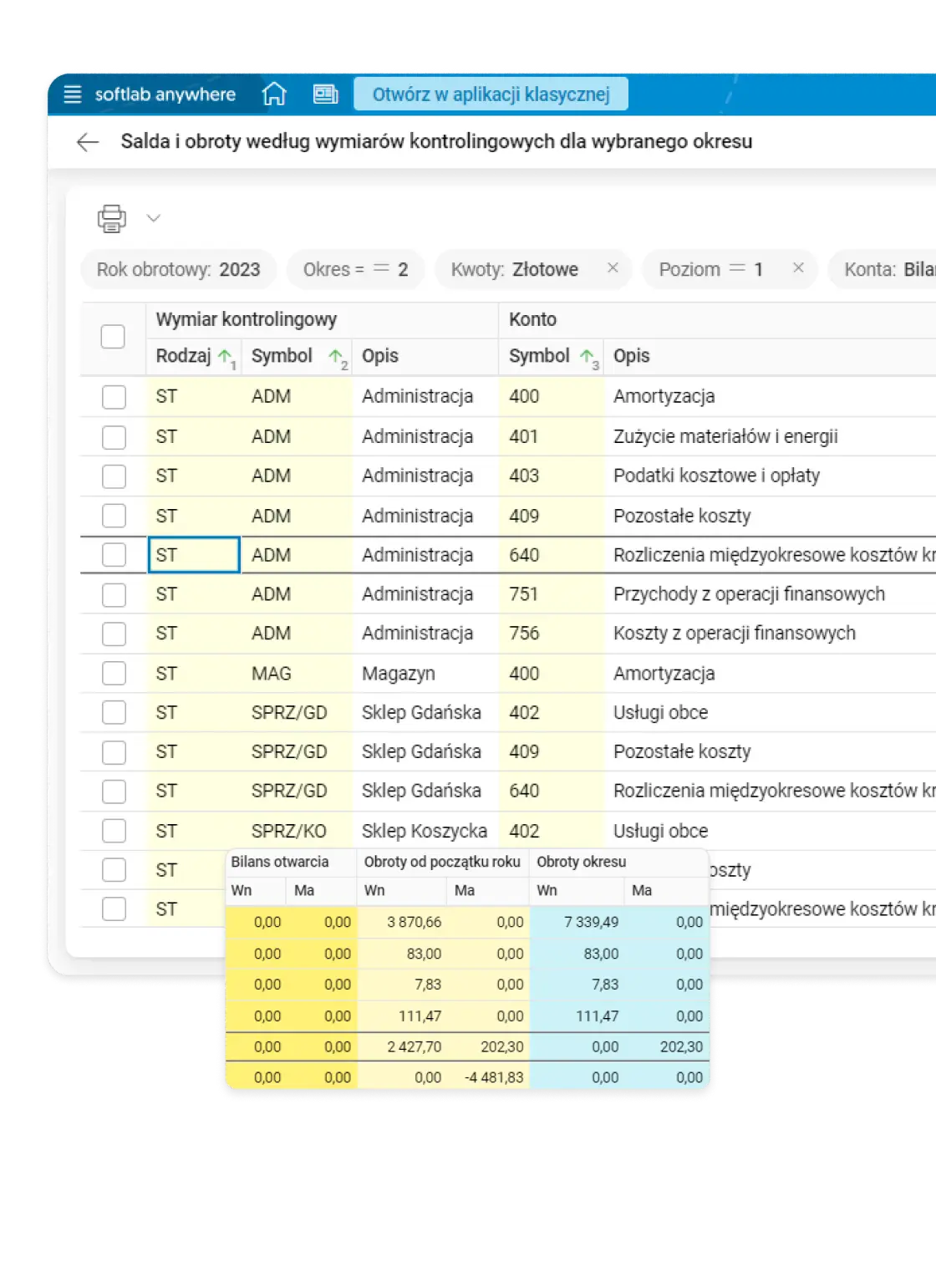
Financial data in Asseco Softlab ERP can be analysed not only by account but also by controlling dimensions such as department, project, product or location. As a result, accounting entries provide the information needed to assess the costs and results of individual business areas.
- Cost assigned where it arises. Controlling dimensions complement journal entries, and cost keys let you split an amount between selected departments, projects or other areas.
- Rules help keep data complete. The system can set default dimension values, require them or exclude their use for selected accounts.
- Analysis from total to entry. Turnover and balances can be viewed by dimension and period, also in a pivot table, and then you can check the accounting entries behind them.
Budgeting
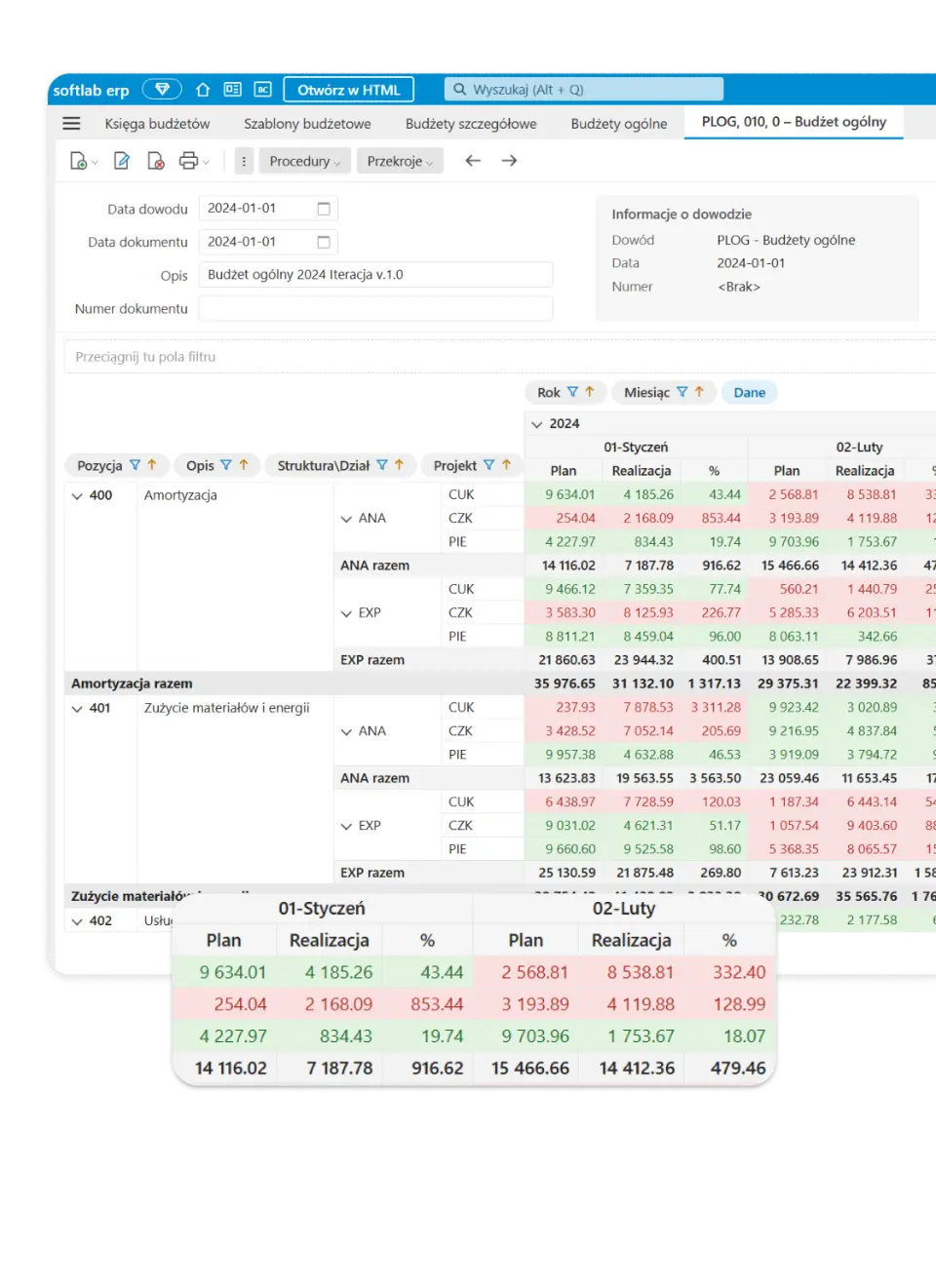
Asseco Softlab ERP supports the full budgeting cycle: from preparing plans for departments and other business areas, through combining them into a company budget, to analysing execution. Budgets can include accounts and controlling dimensions and cover many periods.
- Plans built on shared rules. Templates and amount definitions help generate detailed budgets for many units. The people responsible for each budget can then complete and change the proposed values.
- Budgets you can change and compare. The system lets you create new versions of the plan and record amount changes in separate documents. You can compare selected budgets.
- You see more than posted expenses. Next to actuals, you can include commitments and reservations from suitably defined documents to assess plan usage earlier.
- Execution under control in each period. Detailed budgets add up to the overall budget. The system shows the plan, actuals and the share of funds used, also by organisational unit and period.
Reporting
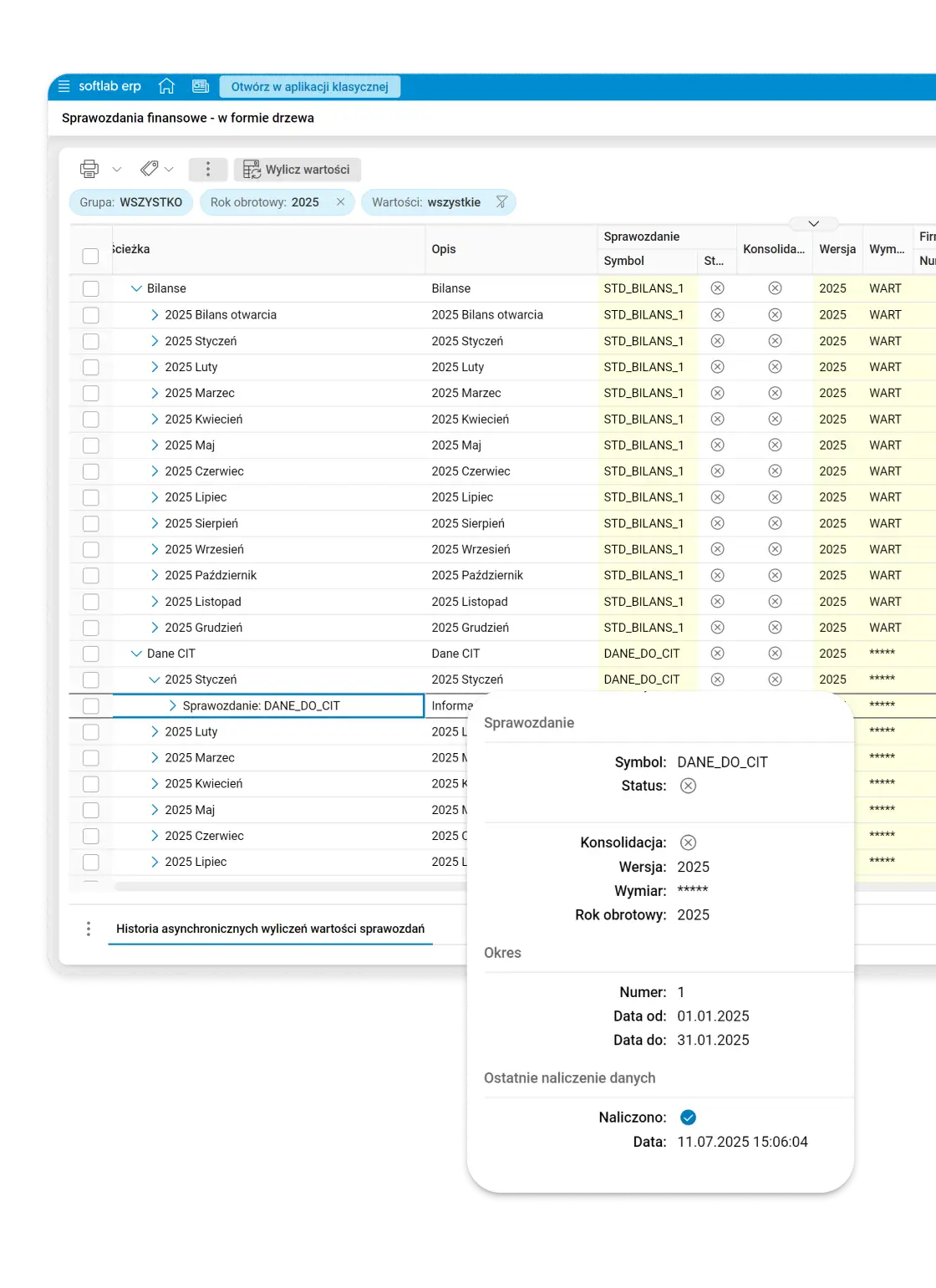
Asseco Softlab ERP helps prepare financial statements, tax settlements and JPK files from data collected in the relevant areas of the system. Statement items can be analysed together with the accounts and turnover they were calculated from.
- Statements whose values you can check. The system calculates the balance sheet and the profit and loss account. The user can review the accounts behind a selected item and compare periods, dynamics and the structure of results.
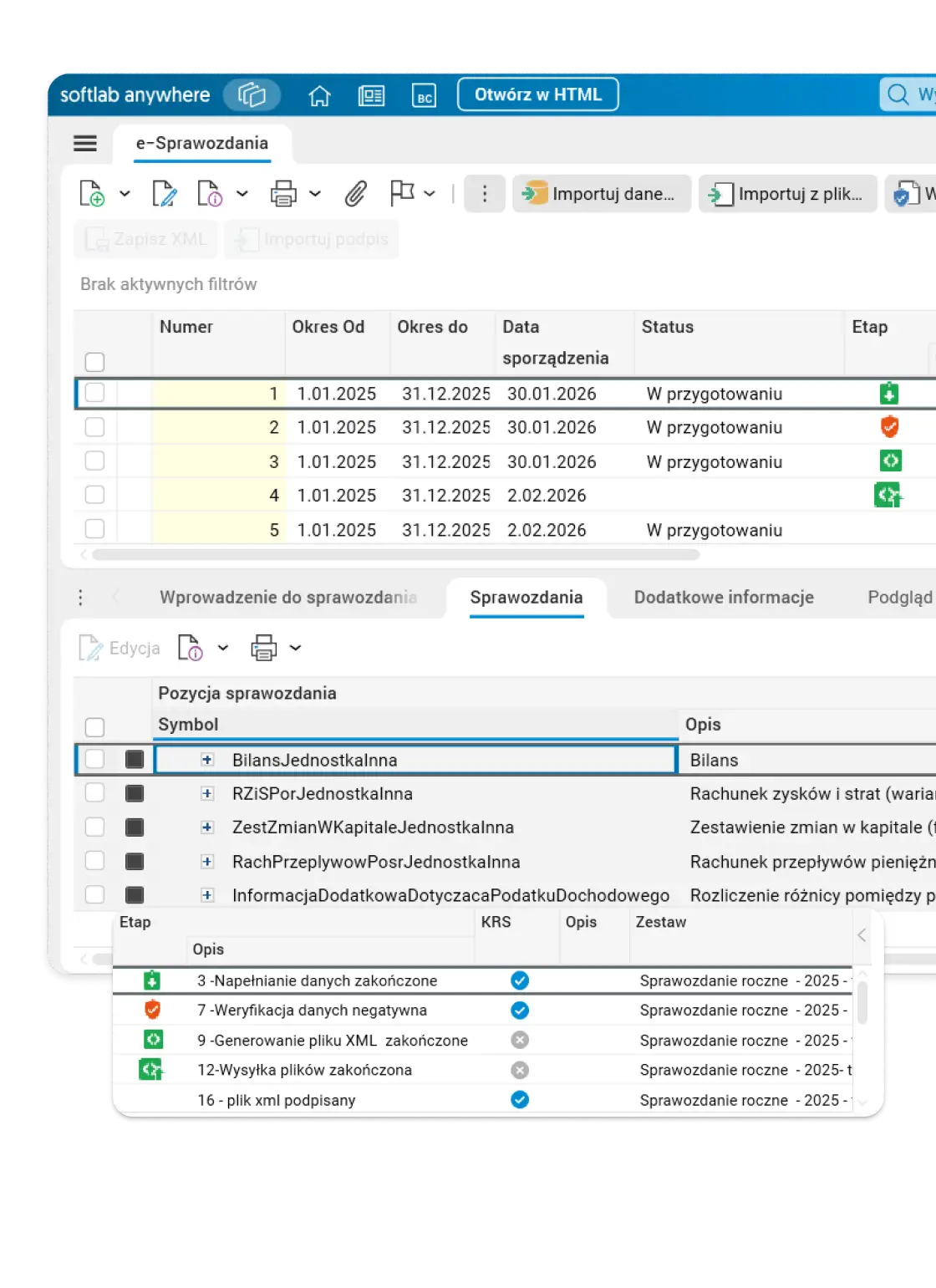
- E-statements ready to file. Data from general ledger statements can feed a statement in the required XML structure. The system supports its preparation, verification and signing.
- JPK with data checks. The system prepares the relevant JPK files from ledger data and other ERP areas. Data can be validated before the XML is generated, and for the relevant structures sending and UPO download are available.
- VAT and CIT handled through the right paths. The VAT return is part of the JPK_VAT file with return. CIT returns prepared in the general ledger can be passed to e-Deklaracje, signed, sent, and the UPO downloaded.
Consolidation of financial statements
Asseco Softlab ERP lets you prepare consolidated statements from the accounting turnover of group companies or from their individual statements. Both options include consolidation adjustments and eliminations.
- Company data collected in one process. The system can create consolidation notes from the data of companies working in the same database. Data from other systems can be added by importing files.
- Adjustments and eliminations under control. Once configured, the system supports creating and posting them, for example for intercompany balances, revenues and costs, and dividends.
- Reconciliation before the statement is drawn up. You can check whether adjustments for both sides of a transaction were recorded consistently and analyse turnover and balances before and after adjustments.
- Group statements from reconciled data. The system calculates the consolidated statement items from the selected data source and posted adjustments. The data can then feed the consolidated e-statement.
HR: personnel, payroll and working time without re-entering data
Asseco Softlab HR runs HR and payroll processes, plans and settles working time, and handles employee documentation. It supports complex structures and multi-company organisations, and the HR Portal gives employees and managers self-service in a browser and a mobile app.
HR and payroll
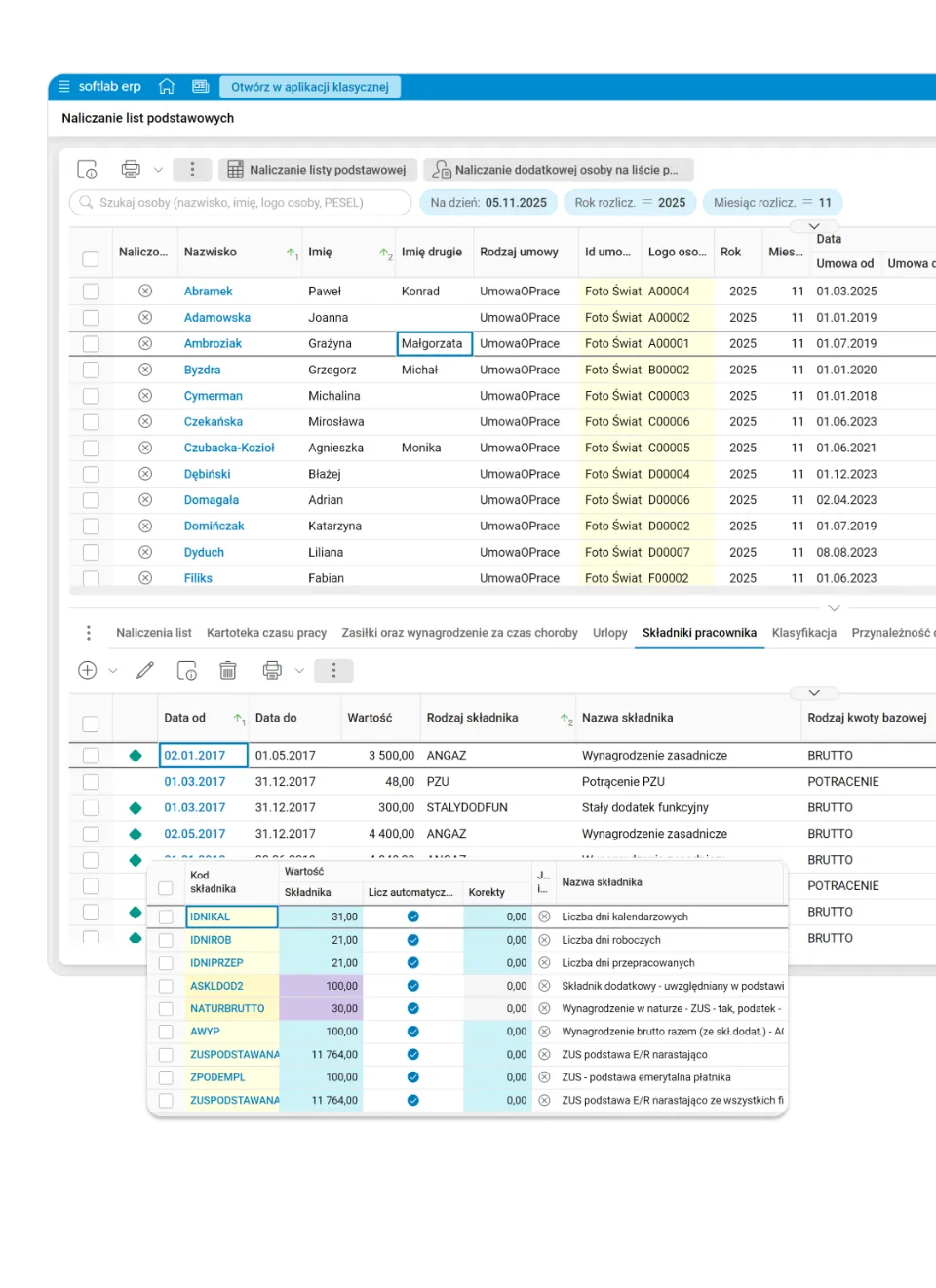
In Asseco Softlab HR, personal data, HR and payroll documentation, and the calculation of salaries, contributions and taxes work together with data exchange with Płatnik (the ZUS system), the Statistics Office (GUS) and the tax office.
- Settlements without manual retyping. Pension, disability and health contributions are calculated from the contract data, not separately.
- Benefits with a wizard. The benefits wizard guides you through the calculation, so you do not have to know the formula by heart.
- e-Returns and e-ZLA sick notes without paper. E-returns are sent and e-ZLA sick notes imported electronically.
- Many contracts change with one amendment. The change of employment terms procedure lets you update the terms of many contracts at once, instead of editing each one separately.
- Automatic import of payroll data from Excel streamlines payroll calculation by moving values to the payroll without extra work for the user.
Multi-company
Many companies work on one shared database, and each of them uses shared HR rules or has a fully independent configuration, depending on the group’s needs.
- Shared rules or full independence, chosen per company. A quarterly bonus or a medical package can apply to the whole group, while a remote work allowance or custom contract templates apply only to a selected company.
- A new company starts in three steps, without a separate implementation. A new company joins the shared database and inherits a ready configuration instead of starting the project from scratch.
- One report instead of combining several systems. Permissions decide whether a user sees one company, several or the whole group, and the data is available in one application.
Working time
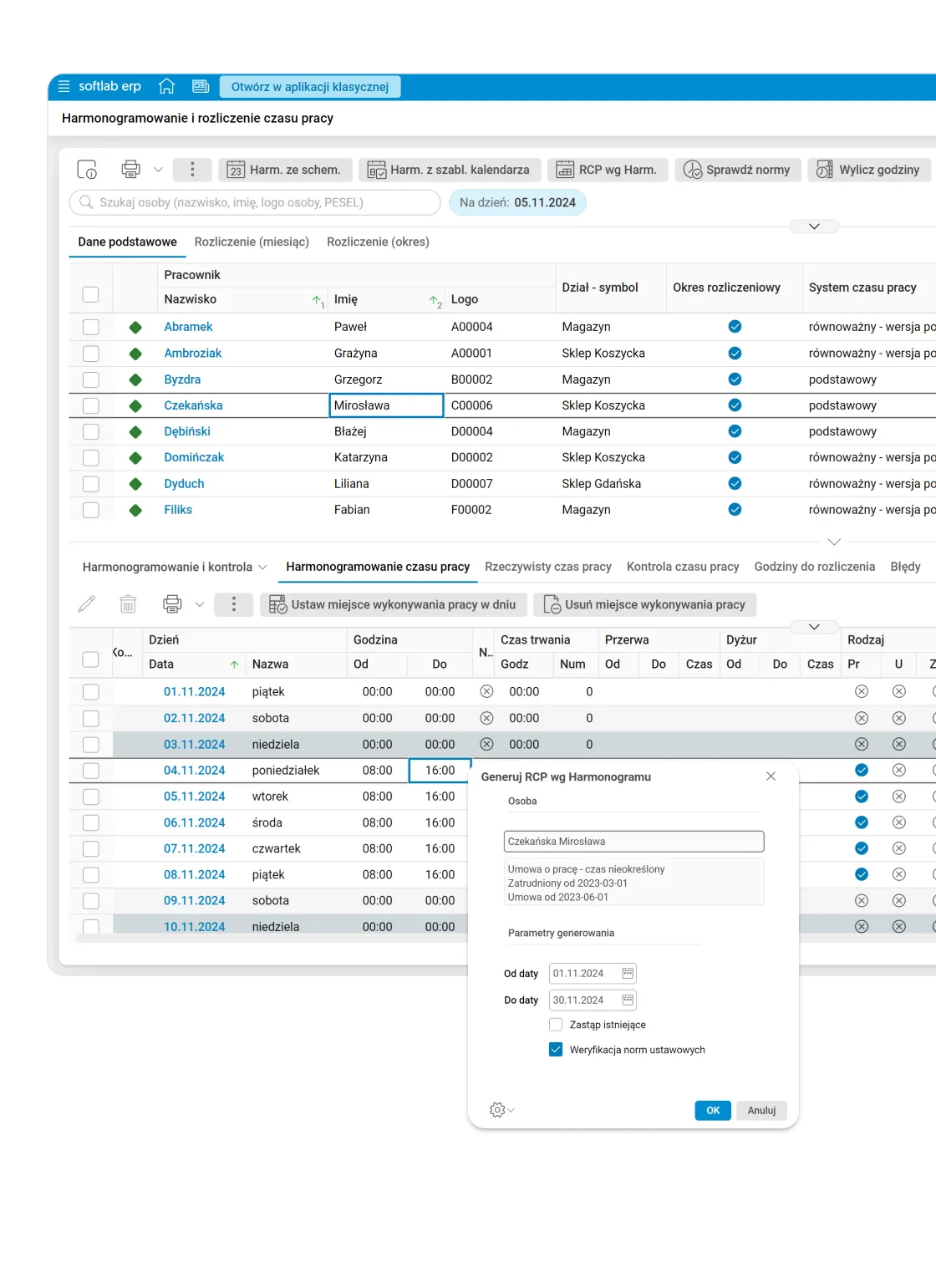
The time and attendance module in Asseco Softlab HR works with recording devices and settles working time automatically.
- Five working time systems, one module. Standard, split, equivalent, task-based and continuous working time do not need separate tools.
- Approval from your phone. Managers approve time off in lieu, breaks and passes on mobile devices.
- Working time records feed the payroll automatically, so the same data does not have to be entered again.
- Overtime and settlement periods configurable, not fixed. Settlement includes overtime and time off in lieu, among others, and the settlement period (monthly, quarterly or annual) adapts to the organisation.
HRM
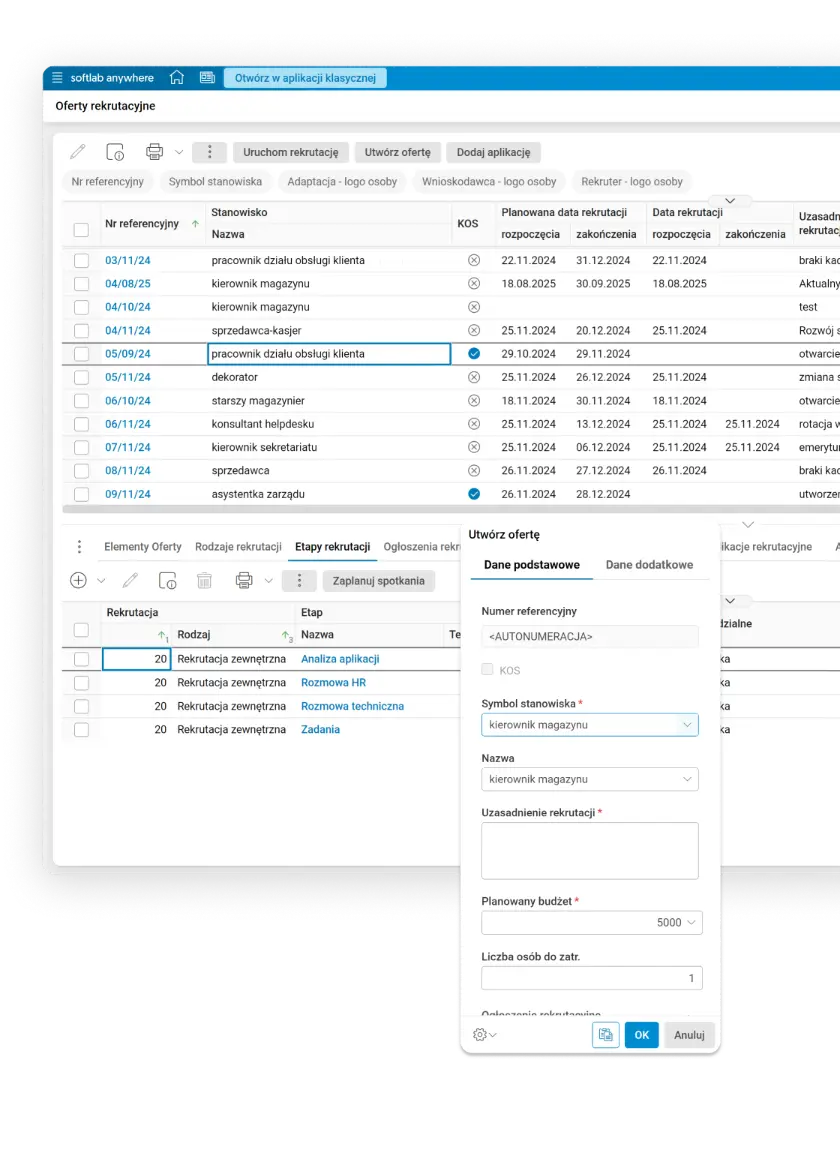
Job profiles with a competence catalogue, employee appraisals, internal and external recruitment, and training budgets use the same employee data.
- Appraisals on three levels. Partial, detailed and final appraisals give a fuller picture than one annual review.
- Training with a budget, not just a plan. Budgeting, planning and evaluating training are part of the same process.
- Recruitment is a full process, not just a job ad. The system runs internal and external recruitment from the hiring need through selection to choosing a candidate, and evaluates the effectiveness of the recruitment itself.
HR Portal
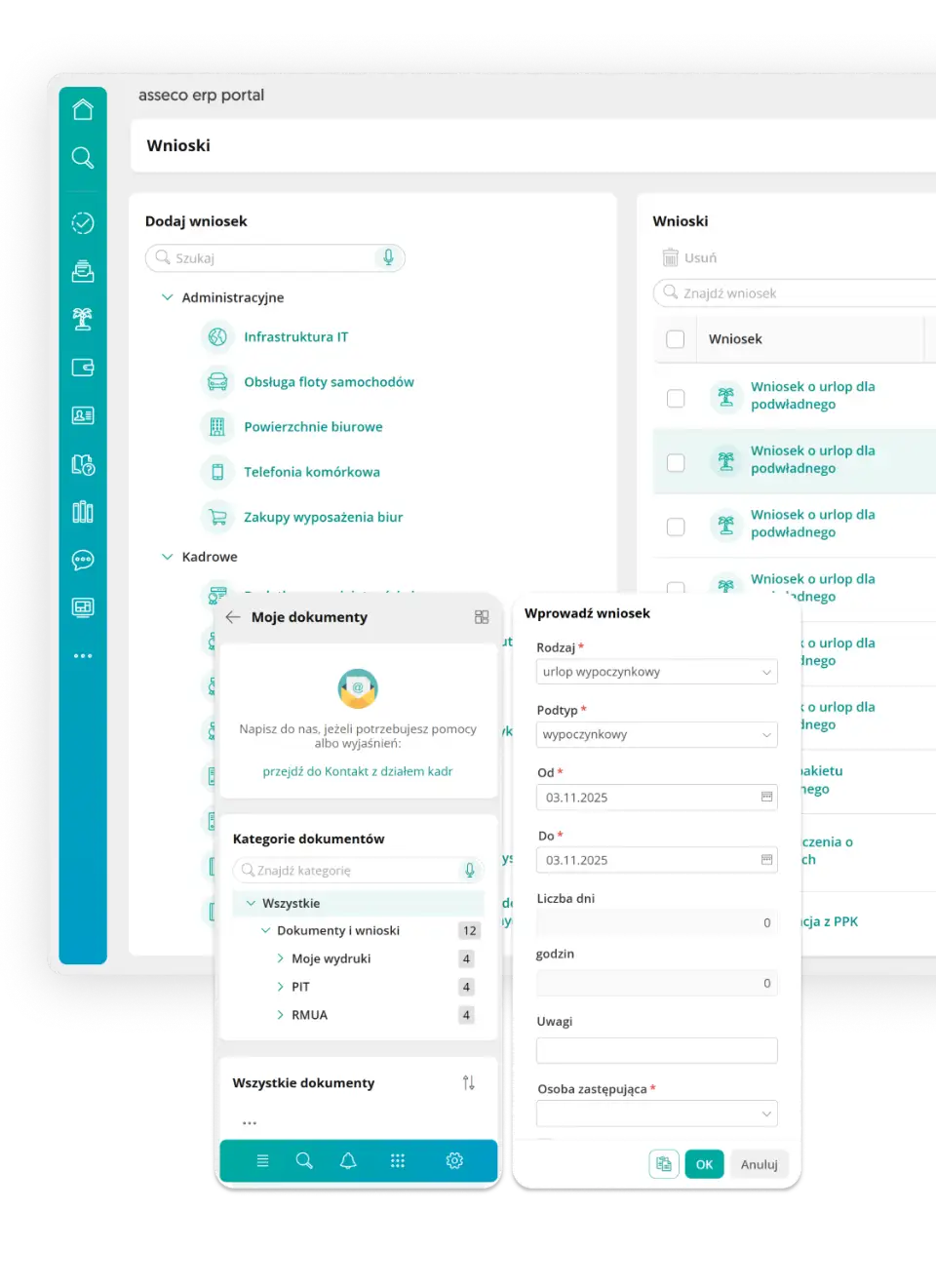
HR Portal is available 24/7 in a browser and in the mobile app for iOS and Android. Employees submit requests, check their pay and contact HR, and managers approve requests and have up-to-date insight into their team’s data, without involving the HR department.
- A request goes straight into the HR system. Leave, data changes and business trips, including advances and ticket or hotel bookings, go through the portal and are recorded in HR records immediately, without manual retyping or extra arrangements.
- Managers approve and see the budget at once. The team absence calendar, documents for approval and bonuses granted within the department budget are available in one place.
- The mobile app sends notifications, even when closed. Push notifications inform about a new announcement, an approved request or a data change. The same information is available in a browser, without installing anything.
- Certificates without a visit to HR. Employees can print their PIT tax forms or RMUA reports from the portal themselves, and request an electronic certificate of earnings or employment whenever they need one.
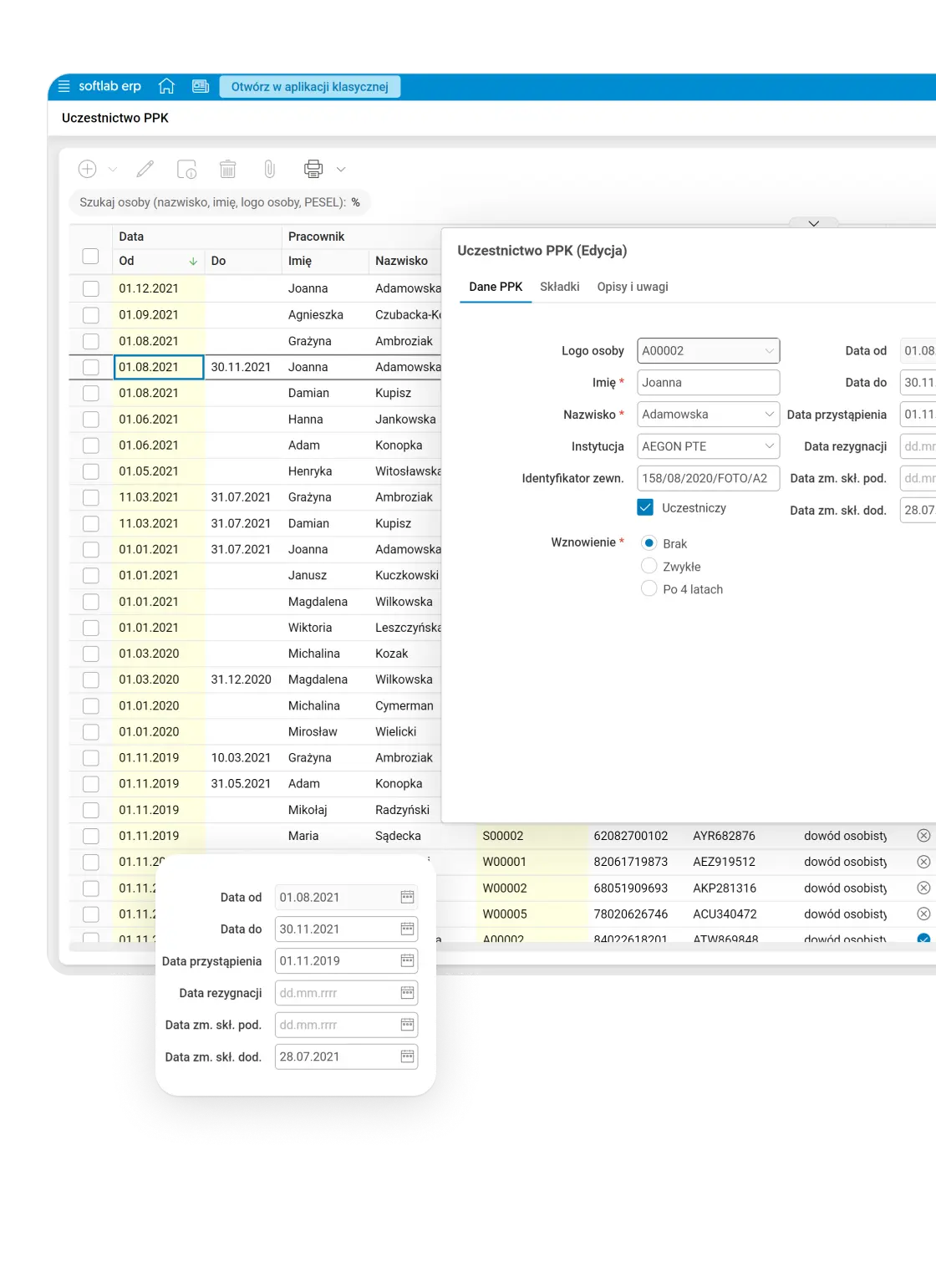
PPK
PPK (employee capital plans) works without manually managing participant lists and deadlines.
- The PPK participant list is always up to date. The system identifies and adds employees who qualify for the plan.
- Deadlines under control. The system tracks the deadlines required by law and sends reminders about them.
- Contributions sent in bulk to the financial institution. A collective contribution register goes to the financial institution without manual totalling.
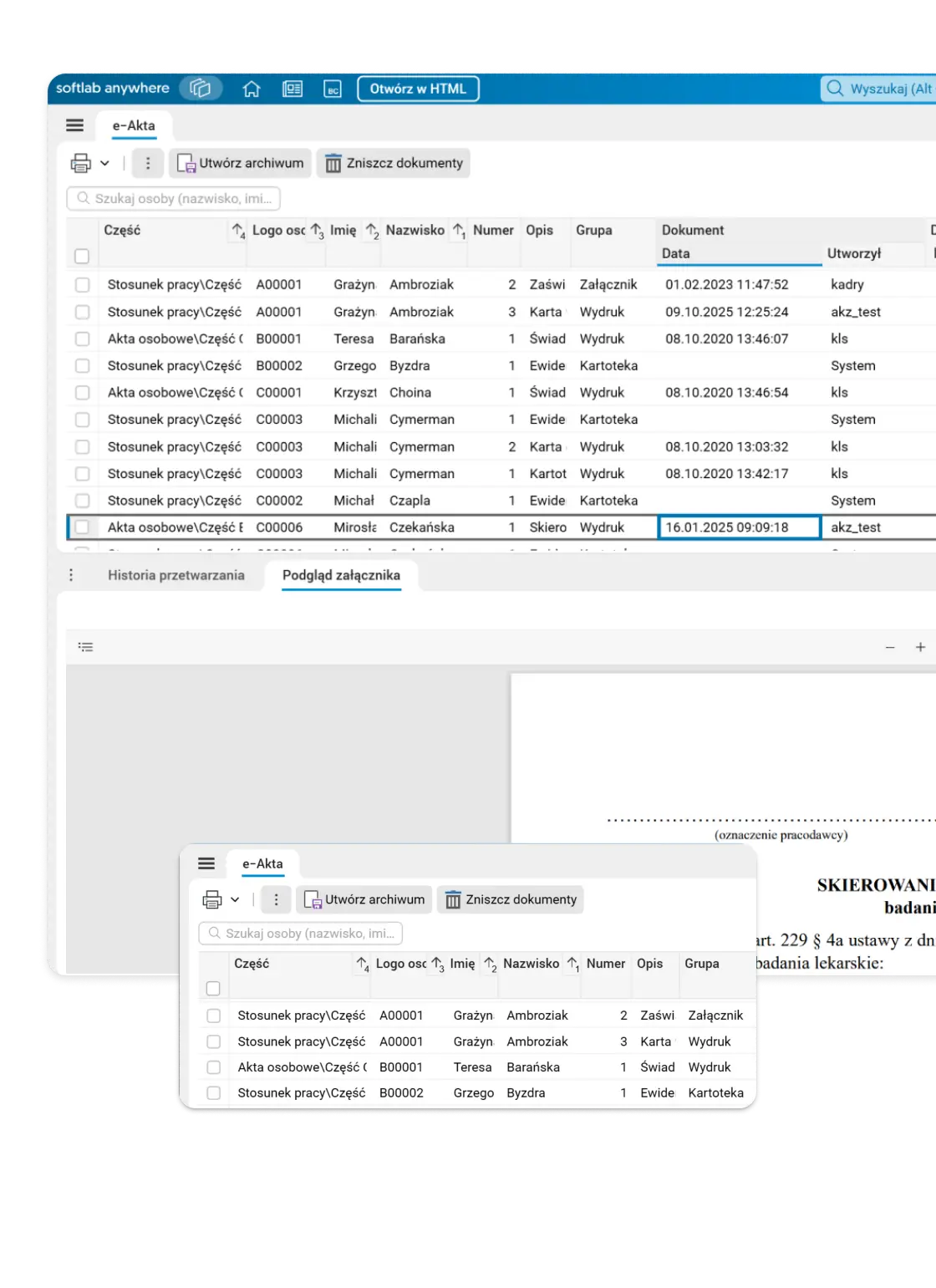
e-Personnel files
After digitisation and qualified signature, HR documents go into electronic employee files that meet regulatory requirements, and the system points out documents to delete after the retention period.
- The system tracks the deletion date. Documents due for deletion after the retention period are flagged instead of being kept “just in case”.
- Copies of documentation through the HR Portal. Employees can request a copy of their documentation without visiting the HR department.
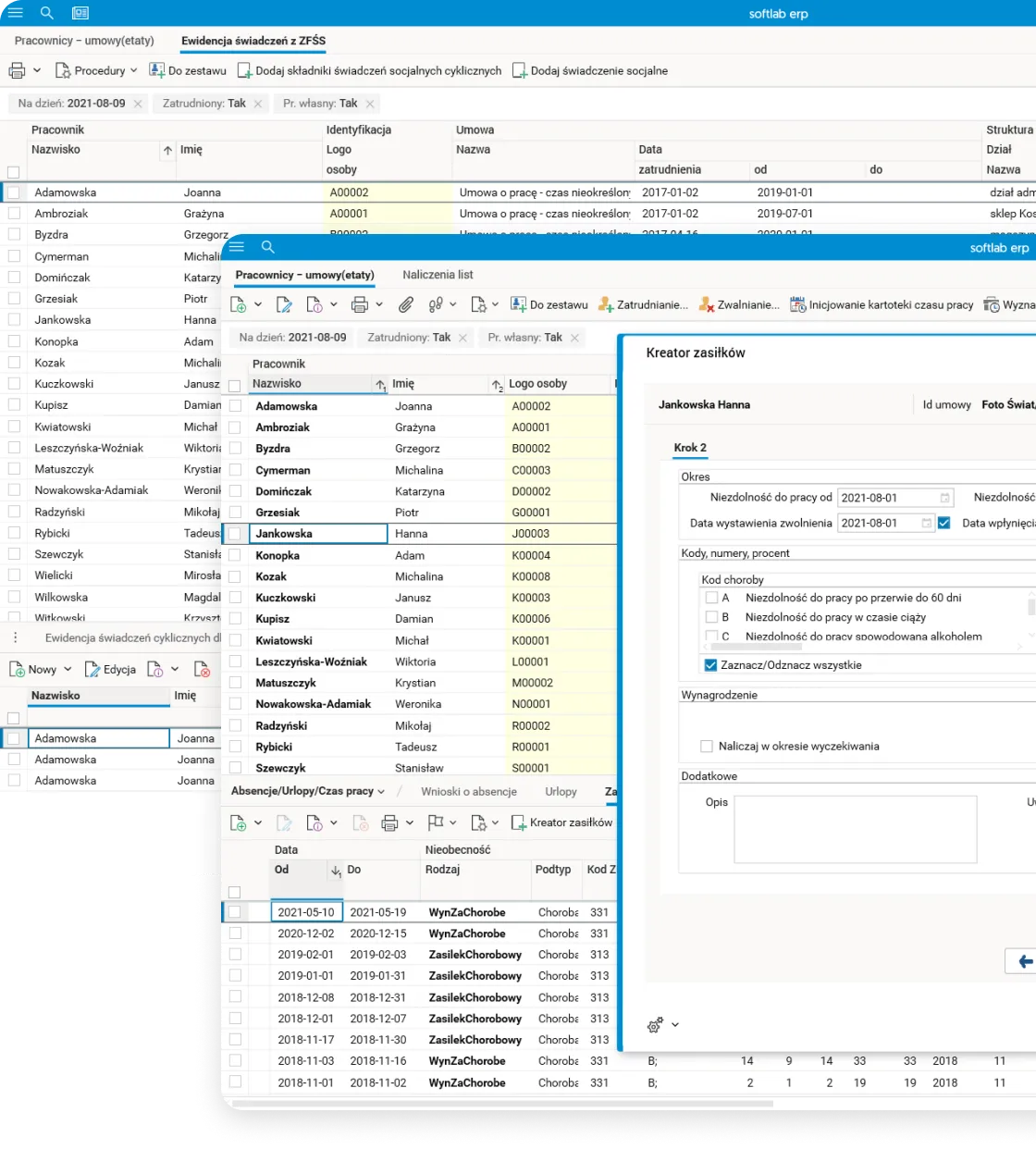
Extensions
Payroll posting, salary budgeting, SEOD, employee equipment records, the company social benefits fund (ZFŚS) and the employee loan fund extend the HR module with processes that would otherwise live in separate tools.
- Automatic assignment of salary costs to cost centres ensures fast, accurate payroll posting that matches the organisation’s structure.
- Social benefits fund and loan fund in the same system. Social benefits and employee loans do not need separate records.
- Equipment assigned to the position. Equipment records take into account the equipment required for specific positions.
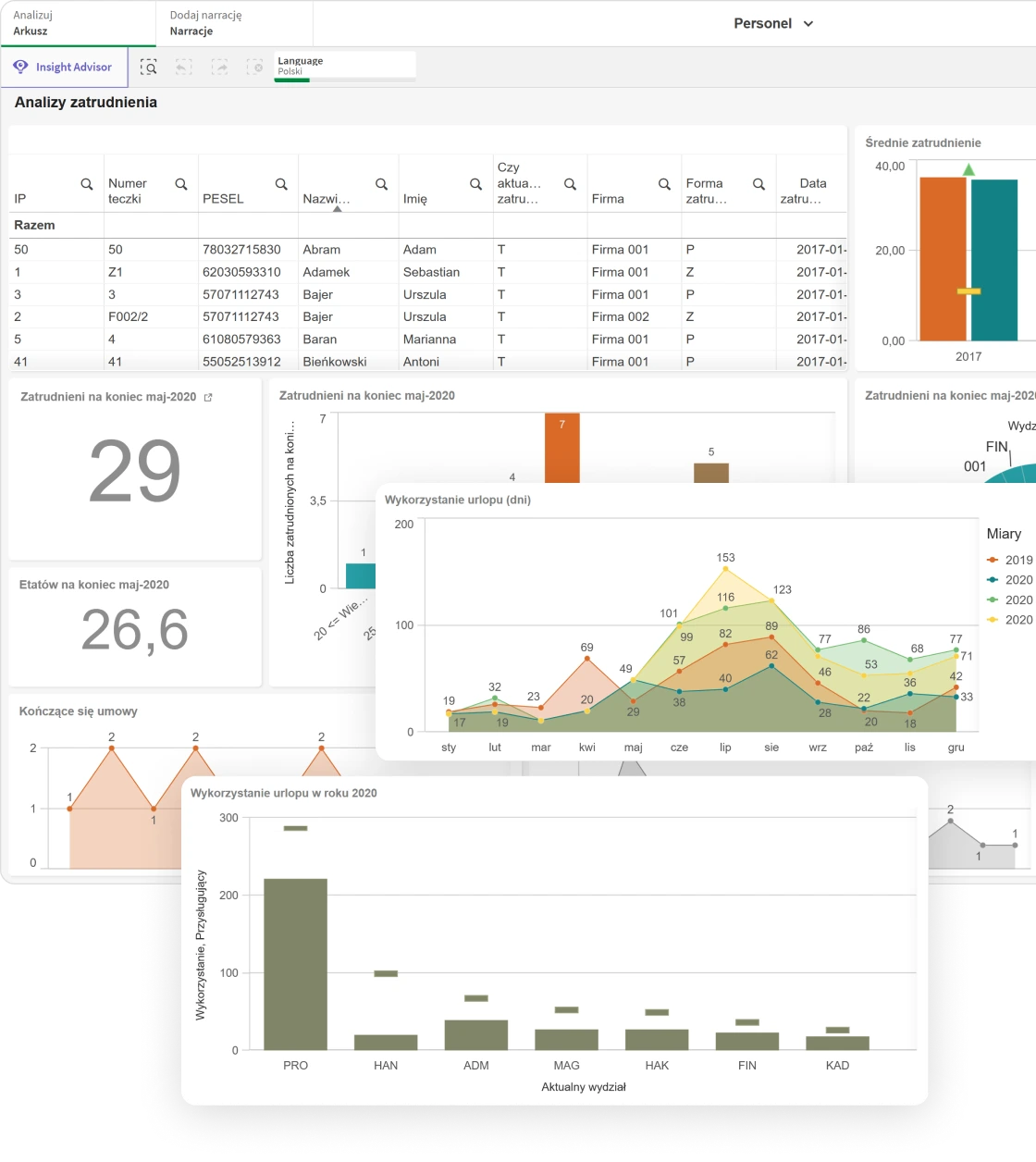
HR analytics
The HR cockpit shows labour costs and team efficiency in real time, with charts and filters, instead of a report prepared manually at the end of the month.
- The cost per man-hour calculates itself. FTE, cost per man-hour and absence rates are available without combining data from several sources.
- Salary budget under control in real time. Salary budget execution is compared with the plan during the period, not only after it closes.
- Leave and absences visible at once. Analysing working hours, absences and leave usage does not require a separate summary of attendance lists.
Manufacturing: a plan that takes into account orders, stock and resources
Asseco Softlab ERP plans, schedules and settles production: technology, materials, resources, deadlines, quality and costs. It connects manufacturing with sales, procurement, the warehouse and finance.
Technology
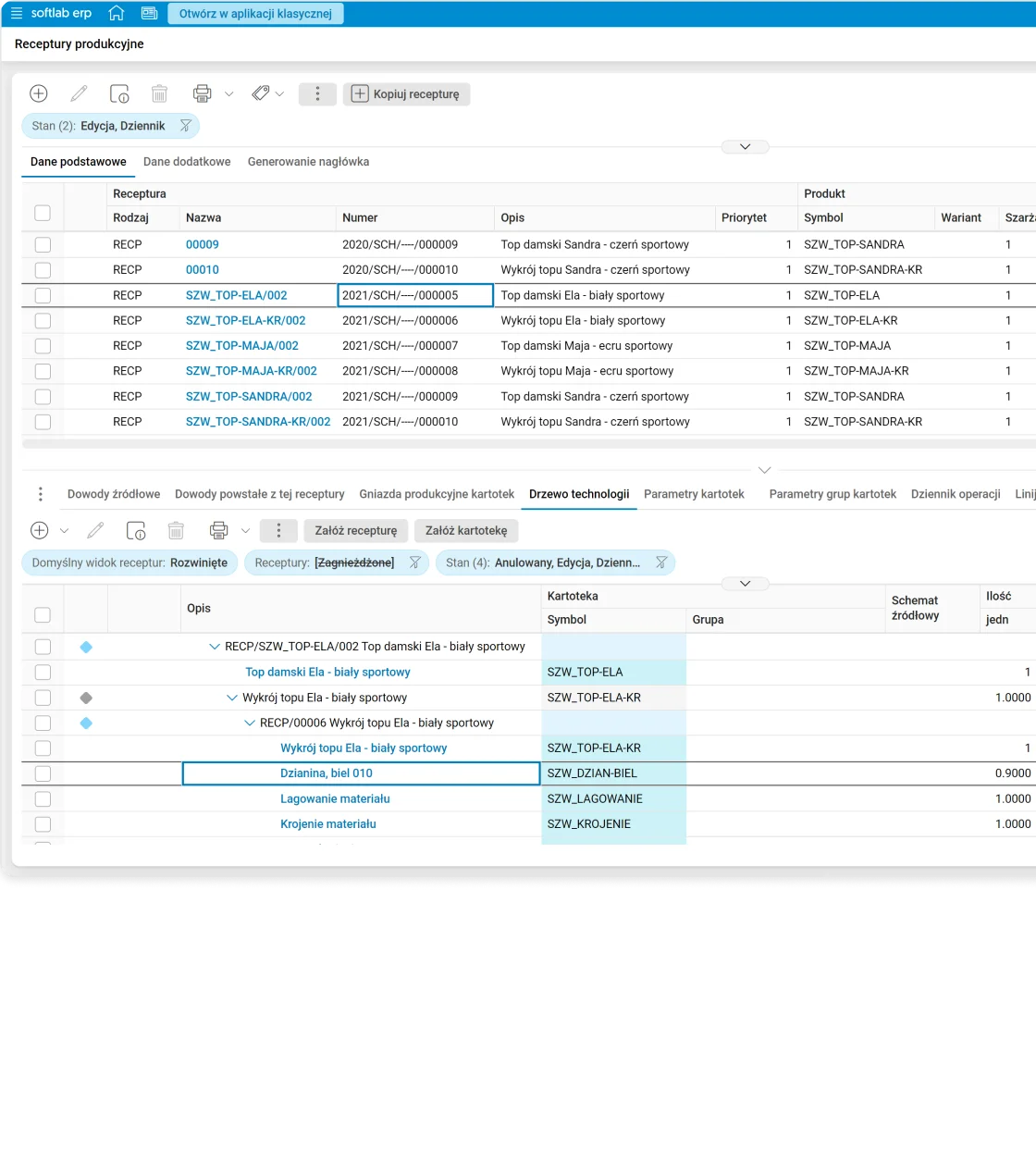
In Asseco Softlab ERP, recipes, production routings and control of work centres and machines are the basis for production planning and scheduling.
- The routing defines the work centres and machines for each operation. Production resources are described in the technology itself, not in a separate plan.
- Technology is the basis of the schedule. The same technology data is used for short-term and long-term planning.
- Batch, continuous and discrete manufacturing. The system supports batch, continuous and discrete manufacturing. For batch work centres, the schedule takes into account batch capacity and fixed processing time.
Raw materials and procurement
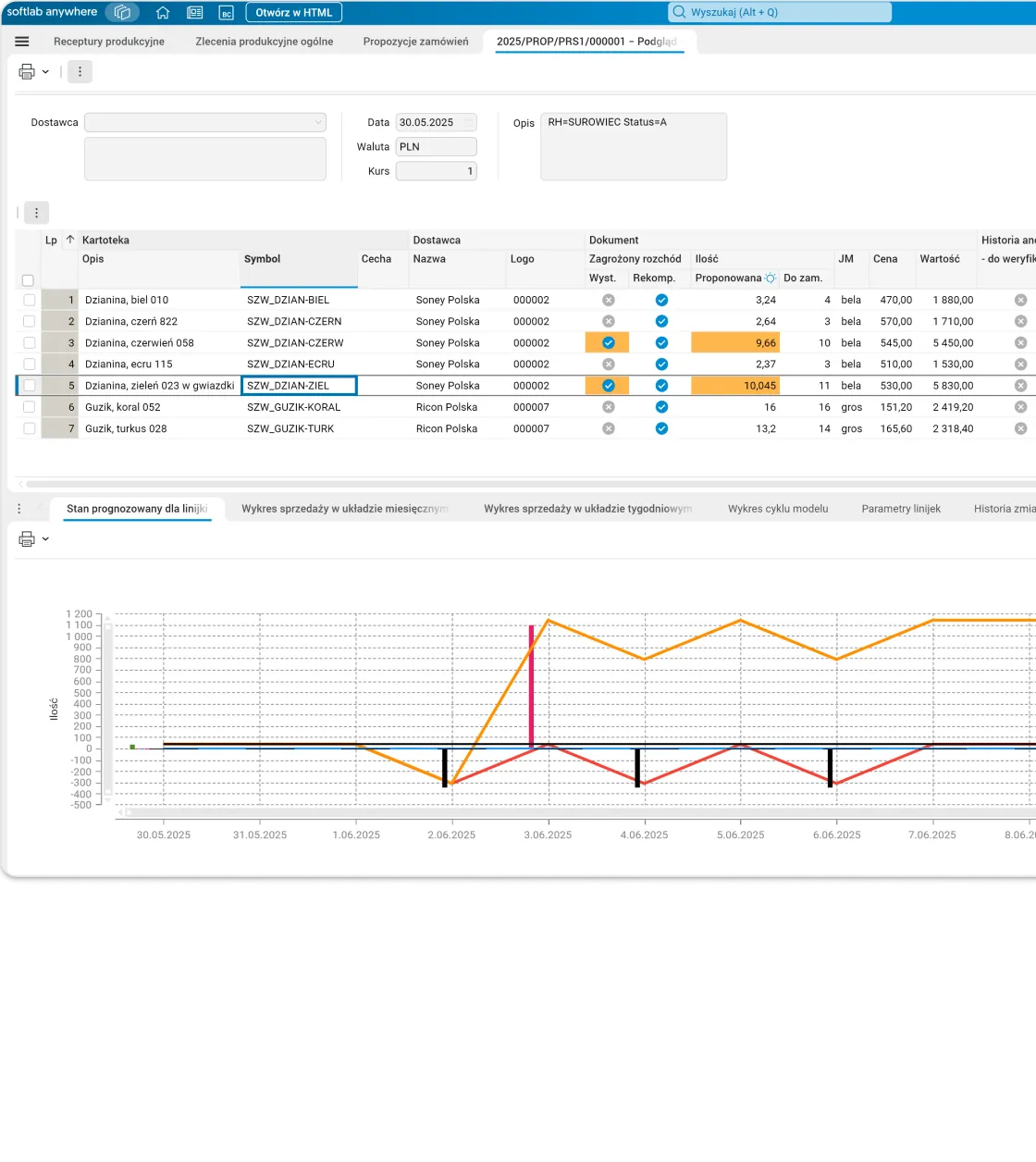
Procurement is automatically linked with production and suppliers and uses the same data as the Logistics and Sales module.
- Product composition known down to the raw material batch. For each product you can check which raw material batches it was made from, not just which raw materials were used.
- Purchase orders without spreadsheets. The system calculates requirements and generates purchase orders.
- Logistics and production work on the same data. Thanks to integration with the Logistics and Sales module, there is no need to keep separate raw material records.
Planning
In Asseco Softlab ERP, production plans can be arranged by period and production phase, and the system automatically prepares proposals for them.
- The planner starts from a ready plan proposal. Production plan proposals are created automatically from turnover history or sales plans.
- A quote can be prepared from an existing recipe or from scratch. Make-to-order pricing uses the existing production specification, and for production to a customer’s individual order the system lets you prepare a quote for a complex product from scratch.
- The system handles the full subcontracting cycle. It covers settling raw materials sent to the subcontractor and receiving finished goods with the service cost recorded, and the subcontractor’s schedule is visible together with your own.
Scheduling
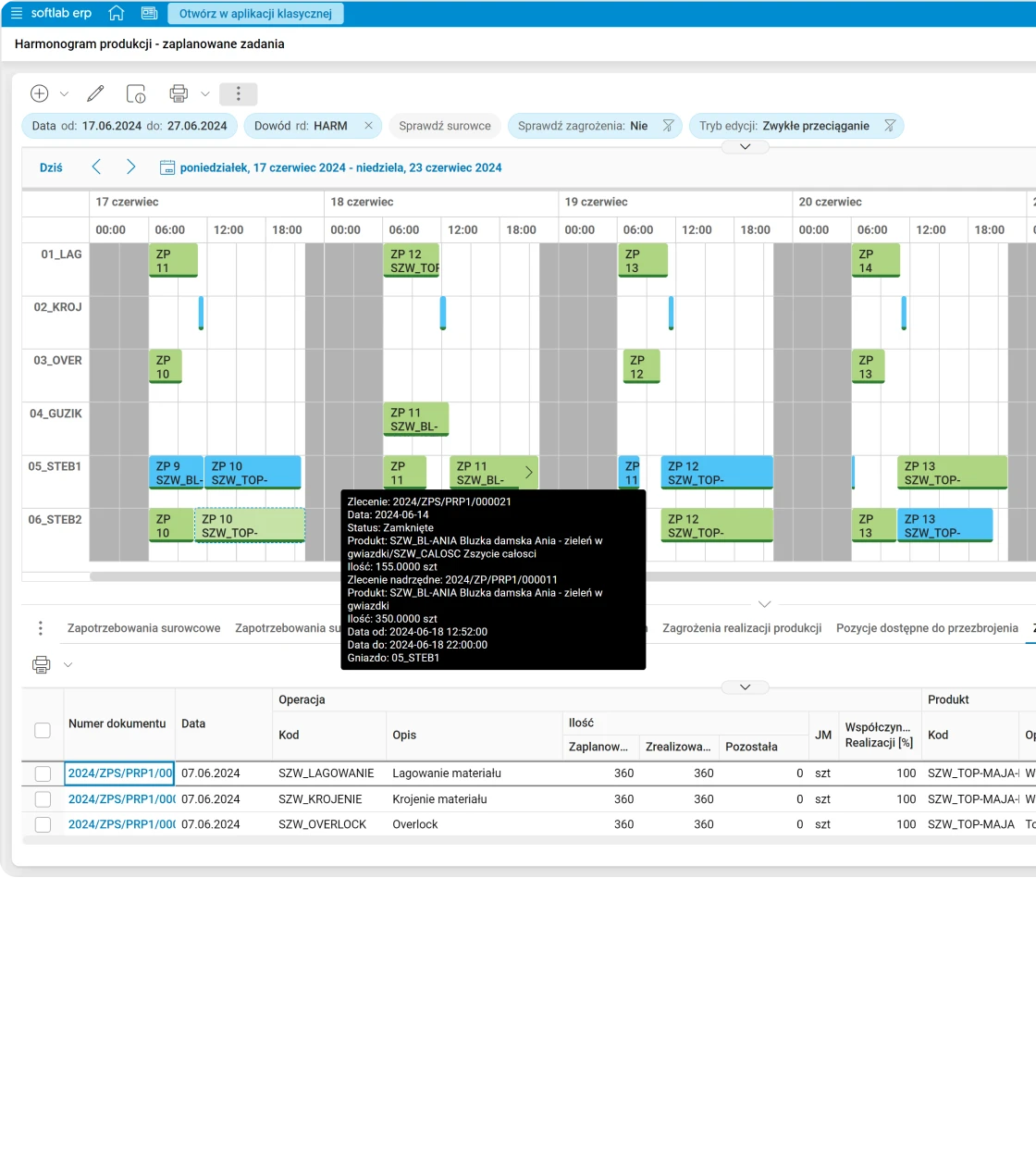
The operational schedule covers departments, work centres and machines. You can change it with drag and drop, and the system checks labour intensity and resource load at the same time.
- Change the schedule with a single move. The planner adjusts the plan manually with drag and drop, without rebuilding it from scratch.
- Resource load visible at once. Labour intensity and the load on work centres and machines are controlled at schedule level.
- Schedule down to the individual machine. The operational schedule covers not only departments but also specific work centres and machines.
- The date from the quote goes into production. The suggested completion date given by the sales rep is carried over to the production order, and when scheduling, the system tries to meet it if free resources are available. When the work centres are busy, production goes to the first free slot.
- The system warns about risks to the schedule before they become a problem. Automatic analysis detects unwanted situations in plan execution, so there is time for corrective action.
Settlement
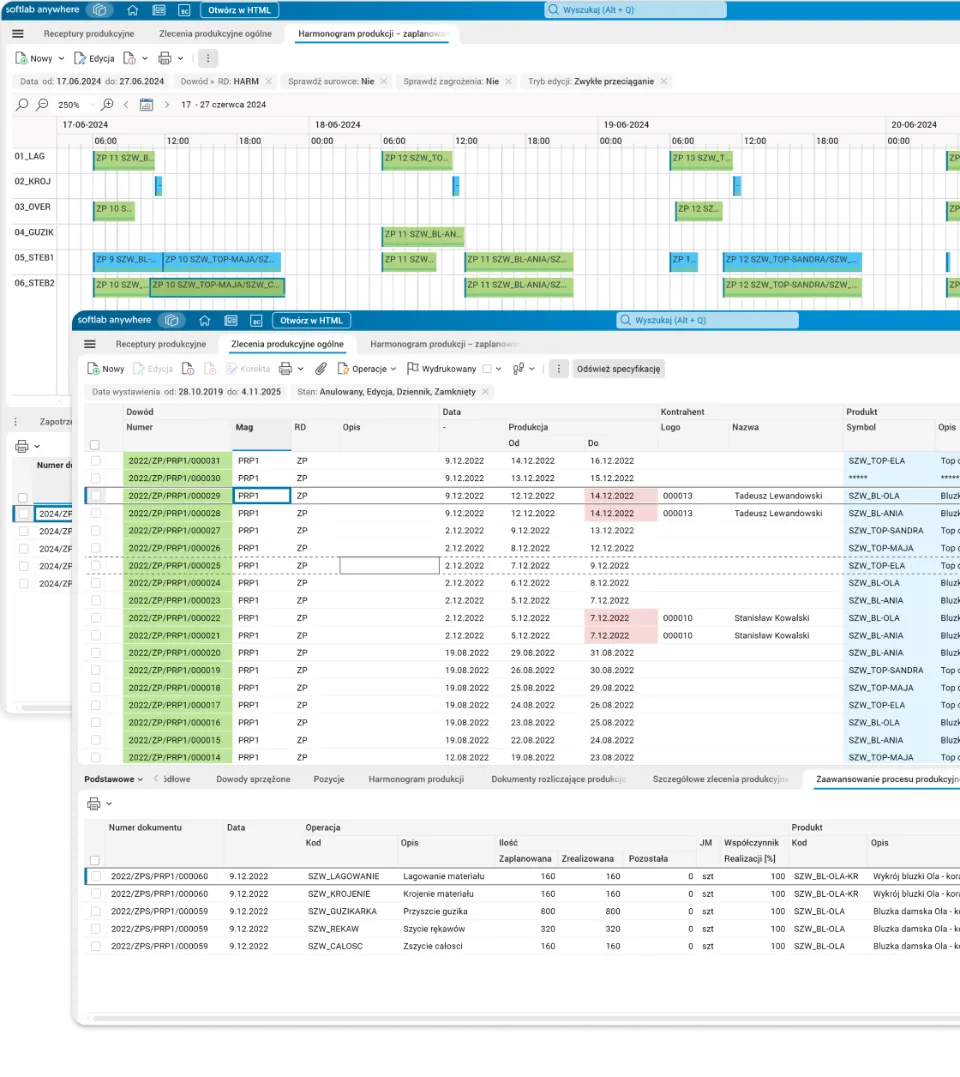
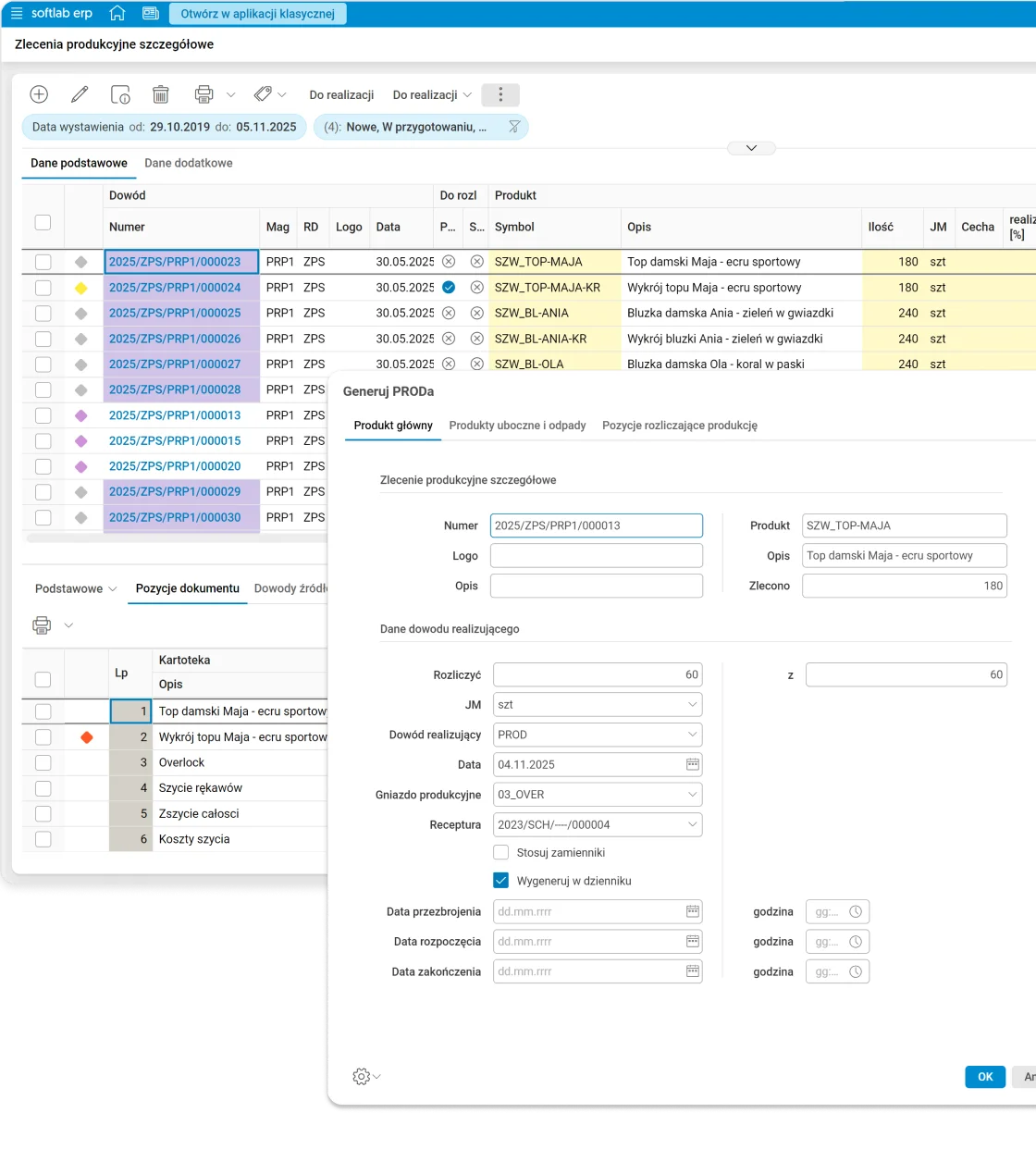
Production is settled based on the schedule, and the system automatically creates Job Cards. Dashboards and quality control reports let you track order fulfilment in real time.
- Job Cards are created automatically. They are created when production is settled based on the schedule. In difficult shop floor conditions, workers can settle them on a touch panel, without a keyboard and mouse. On the panel, the operator sees only orders from their own work centres and records the start and end of work, as well as working time and the quantity of the completed operation. This data feeds the order settlement.
- Order fulfilment visible in real time. The dashboard shows it while work is in progress, not only in an end-of-shift report.
- Quality control is part of the settlement. Quality specifications and inspection reports are recorded as part of production settlement.
Costs
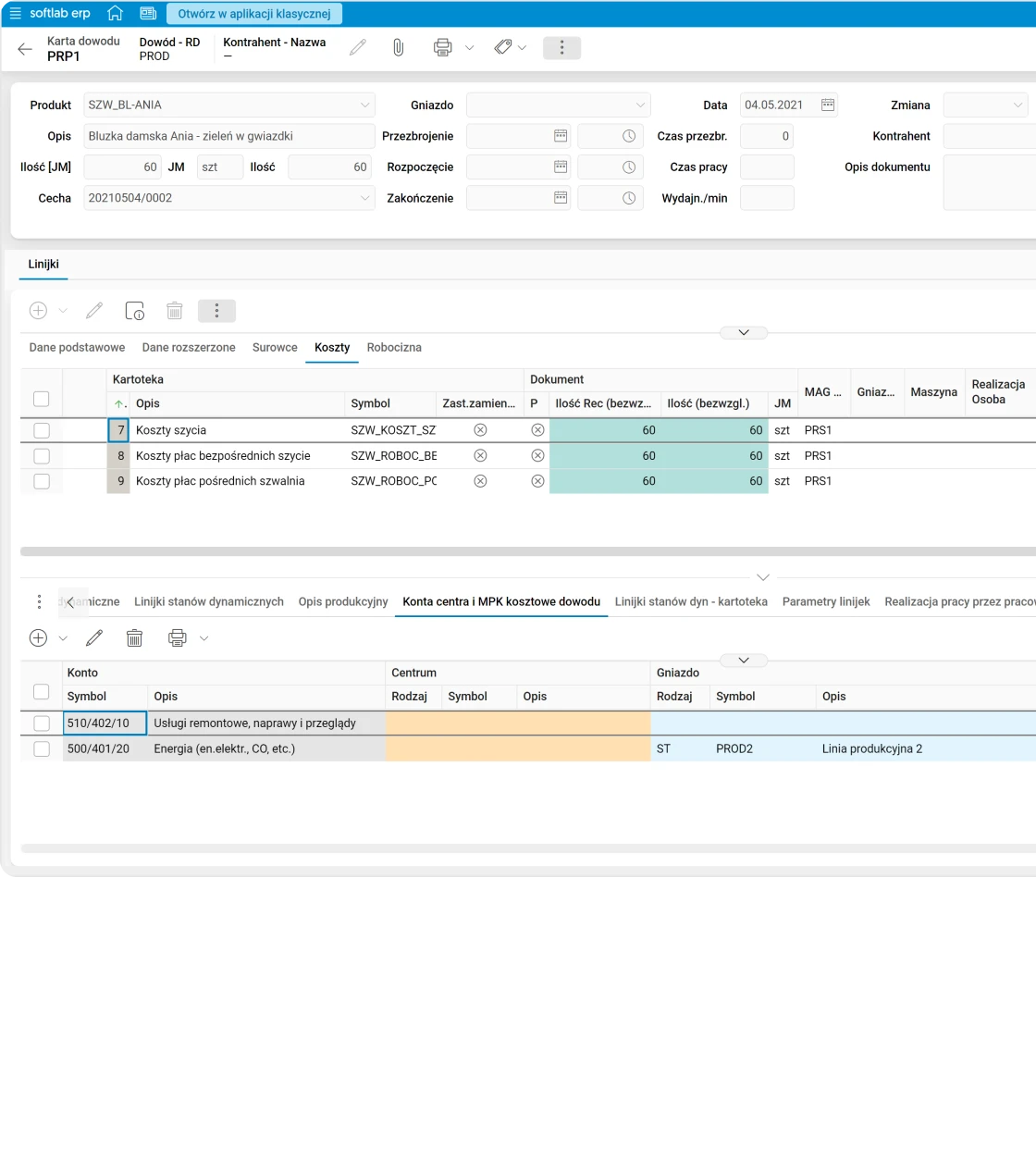
Based on recipes, the system calculates the planned production cost and compares it with actual costs, including energy, depreciation and other components. OEE analysis supports further optimisation.
- Technical production cost calculated per batch, not just per product. Planned cost is continuously compared with actual cost, broken down into fixed and variable costs for a specific batch or order.
- The calculation includes energy and depreciation. It uses actual cost amounts, not only material and labour.
- OEE and FMEA analyses are available in the system. When optimising costs and quality, you do not need to calculate the indicators separately.
WMS: a warehouse run by the system – from terminals to robots
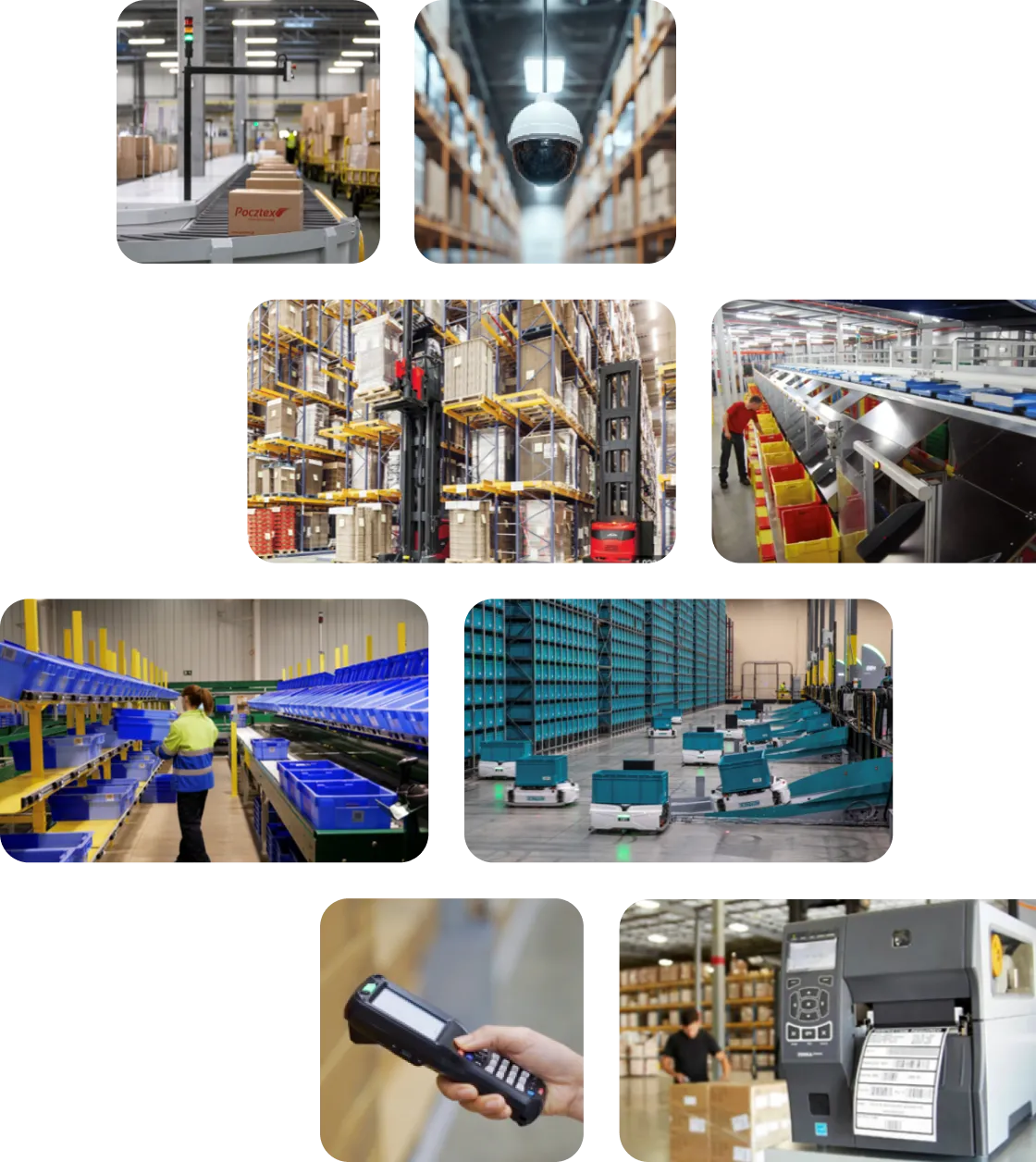
Asseco Softlab WMS manages the flow of goods from receiving through putaway, replenishment and picking to checking, packing and dispatch. The system plans tasks and directs warehouse staff: on the terminal it shows the next steps, locations and how to perform them, and it exchanges data with devices and warehouse automation.
Receiving
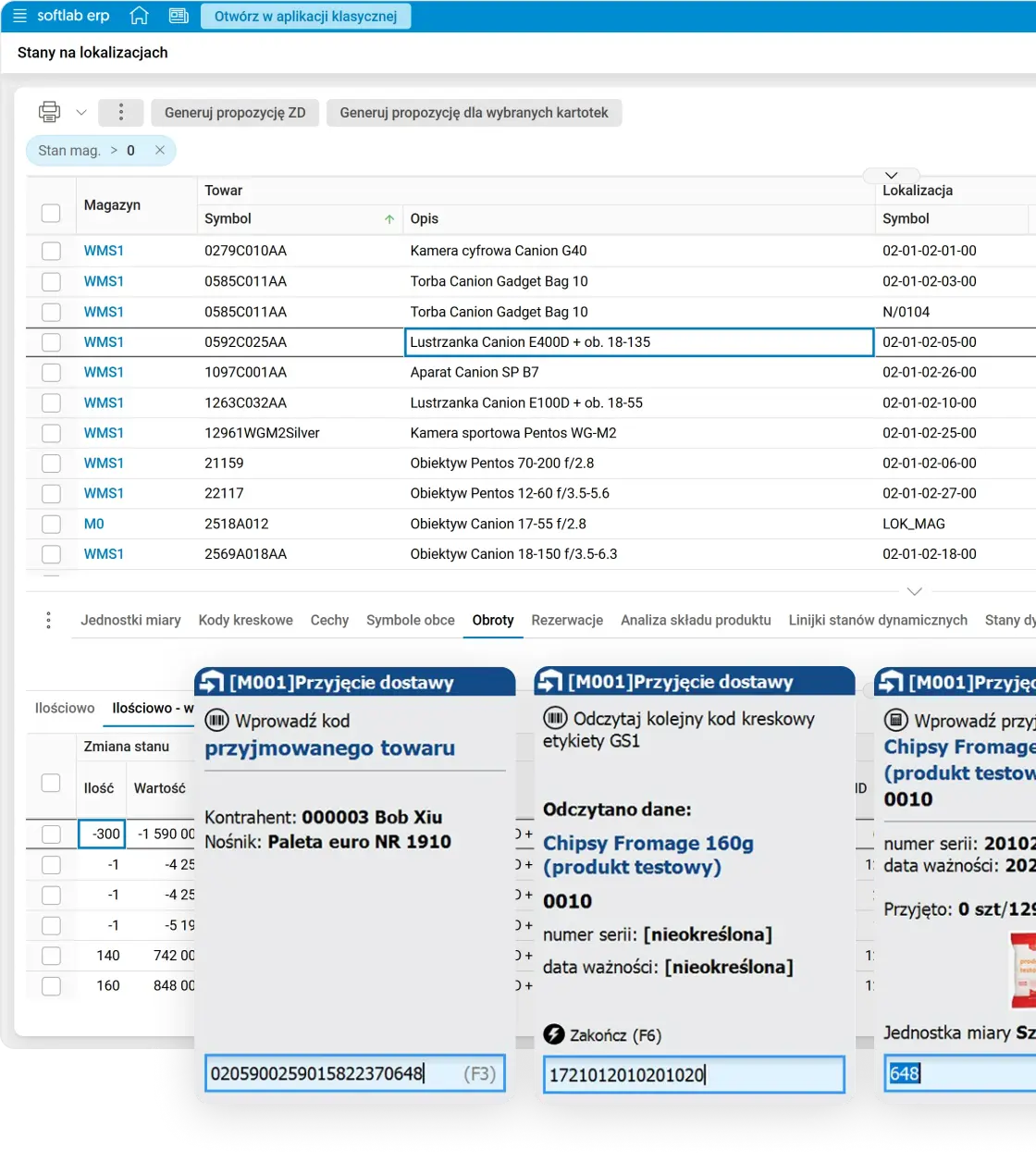
In Asseco Softlab WMS, goods are registered on a radio terminal with GS1 codes, and the system sets the storage location and assigns tasks to forklift operators, for pallets, loose goods or cross-docking.
- Several warehouse workers register one delivery at the same time. A large delivery does not depend on one person: several people handle it in parallel on terminals.
- Quality control and discrepancies at the inbound dock. Delivery discrepancies are settled at the moment of receipt, not later.
- Cross-docking without unnecessary picking. Goods can be set aside for dispatch right away, without putting them on a rack.
Dispatch
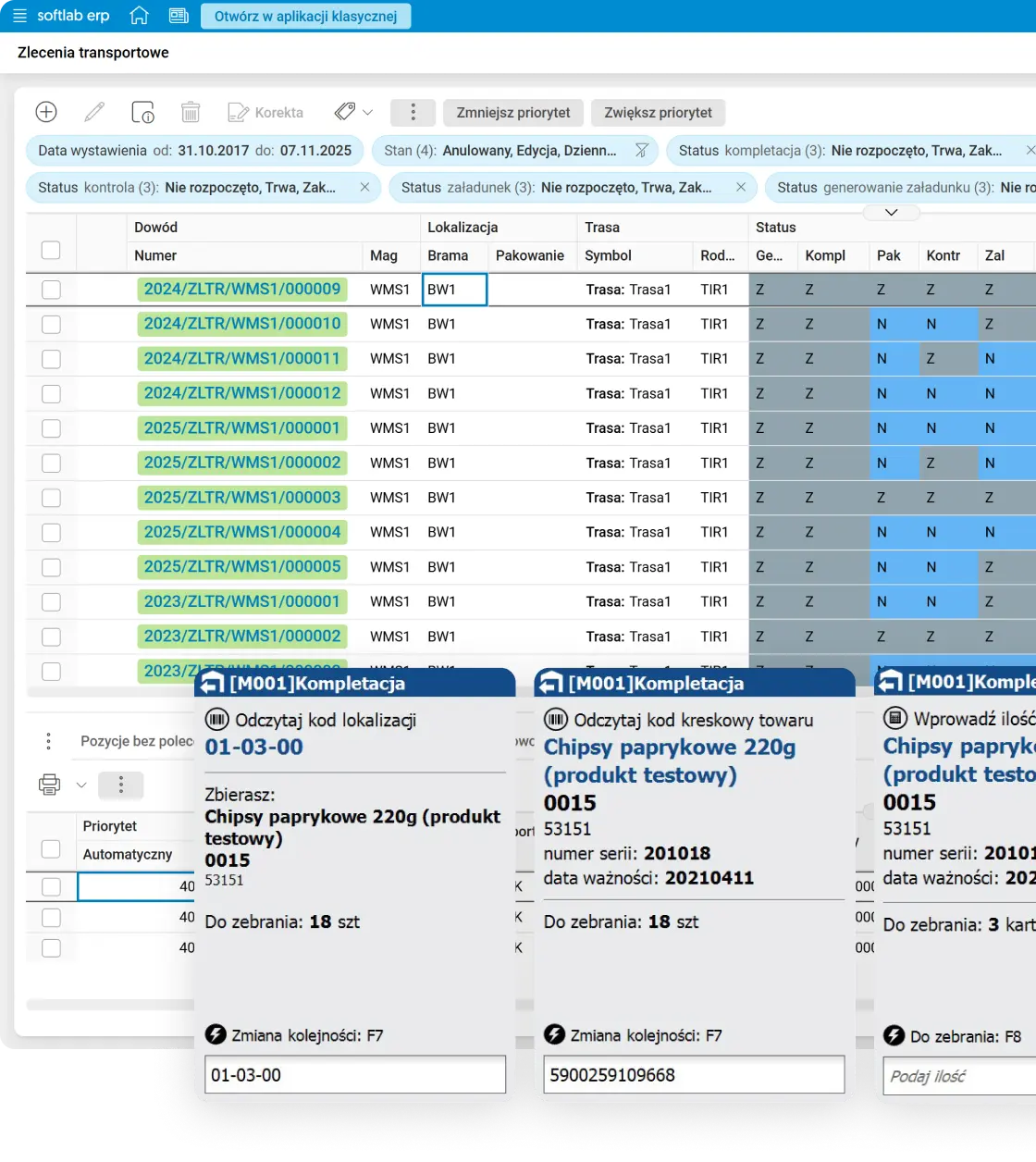
The system plans shipping units and splits picking lists according to different warehouse scenarios, setting the optimal picking path, with support for single orders, routes and multi-picking.
- Picking path verified in real time. The picking route updates in real time and is not set once and for all.
- Two picking strategies for e-commerce orders, one speed-up. The system groups single-item orders, with goods stored close together, separately from multi-item orders, which are sorted later at the packing table. Together they make up about 70% of all orders.
- Picking control for many orders. Several orders picked at the same time do not get mixed up, because tasks update per order.
- A full pallet skips the picking list. Goods in full-pallet quantities go straight to forklift operators, who take them to loading, without an extra picking step.
- The system tells you to replenish an empty picking location. Replenishment orders are generated automatically before a shortage stops picking.
Packing and sorting
The WMS module in AssecoSoftlab ERP prepares goods for shipping differently for wholesale (B2B) orders and for e-commerce orders. Each process has its own control and packing steps.
- Wholesale orders checked before loading. Goods picked separately for each customer (B2B) can be repacked onto shipping units (combined from several into one or split), checked against the order, and then the loading is registered. You switch on the stages your warehouse needs.
- Single-item orders go straight to packing. Goods from single-item orders can skip sorting and go straight to the packing station, and the system matches the order to the scanned product.
- Multi-item orders: sorting where it suits the warehouse. Goods can be sorted onto shelves in a separate sorting zone or directly at the packing station. The system shows which order each scanned product belongs to.
- Courier label at the packing station. After packing, the system issues and prints the goods issue document, the invoice and the courier’s shipping documents. The station can then be released for another operator.
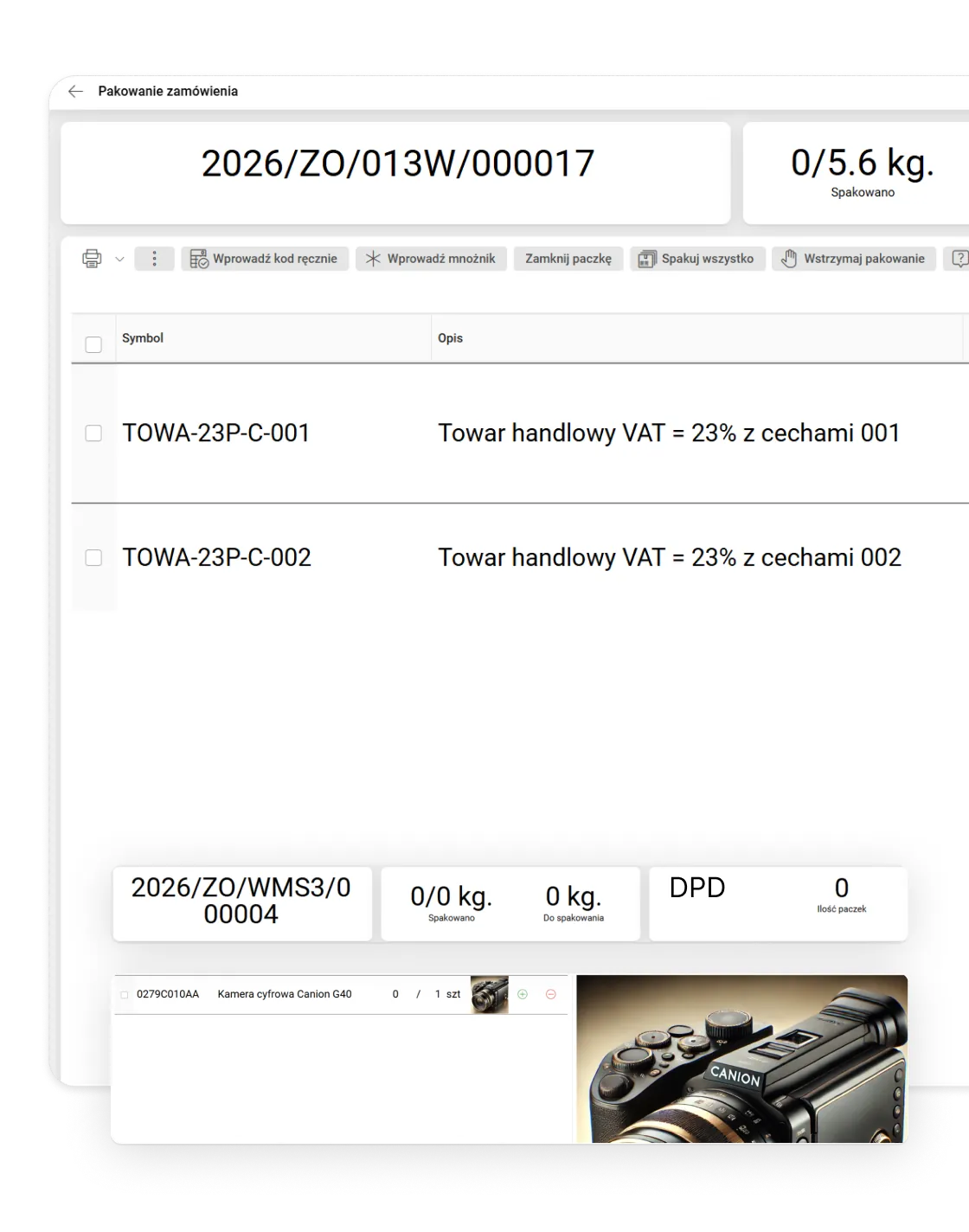
Voice picking
Voice picking in Asseco Softlab WMS guides picking by voice. Warehouse workers hear in their headsets where to go and what to pick, and confirm actions with voice commands. Their hands stay free.
- Headsets instead of a terminal. The voice mode of the WMS Client app runs on Android devices, so warehouse workers do not have to hold a terminal.
- Voice only, or voice and terminal. The warehouse chooses the mode: voice only or hybrid, where voice commands are combined with work on a radio terminal.
- Picking step by step. The system assigns the order and gives the location, and after confirmation with a check code, the product and quantity. At the end it indicates the label printer and the dispatch gate.
- Pick any order by voice. Voice picking covers standard (B2B) and e-commerce orders, both single-item and multi-item.
- Speech recognised on the spot, with AI. AI-based speech recognition and synthesis run locally on the device – without internet access and without sending data to external services. The voice assistant supports many languages.
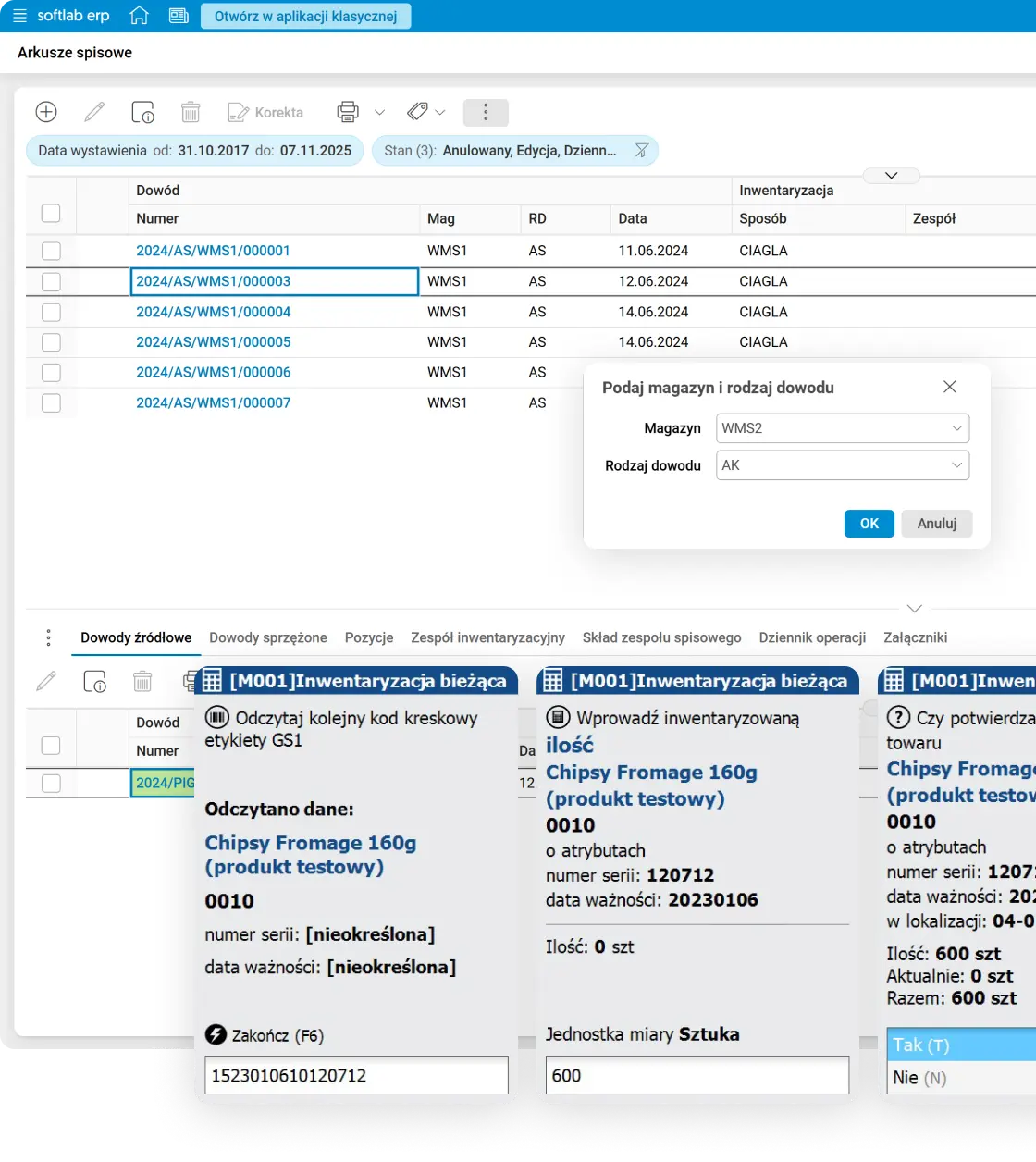
Stocktaking
Stock levels update in real time, and ongoing stocktaking can be done at any time, counting goods on a radio terminal without interrupting warehouse work.
- Count results visible in real time. Counted quantities are saved in the system, while updating stock levels requires settling the count sheet.
- Any time, not just at year end. Ongoing stocktaking is not limited to one date a year.
- Full, partial, planned or ad hoc: your choice. Stocktaking can cover the whole warehouse or a selected part. Many stocktaking teams can take part in the count.
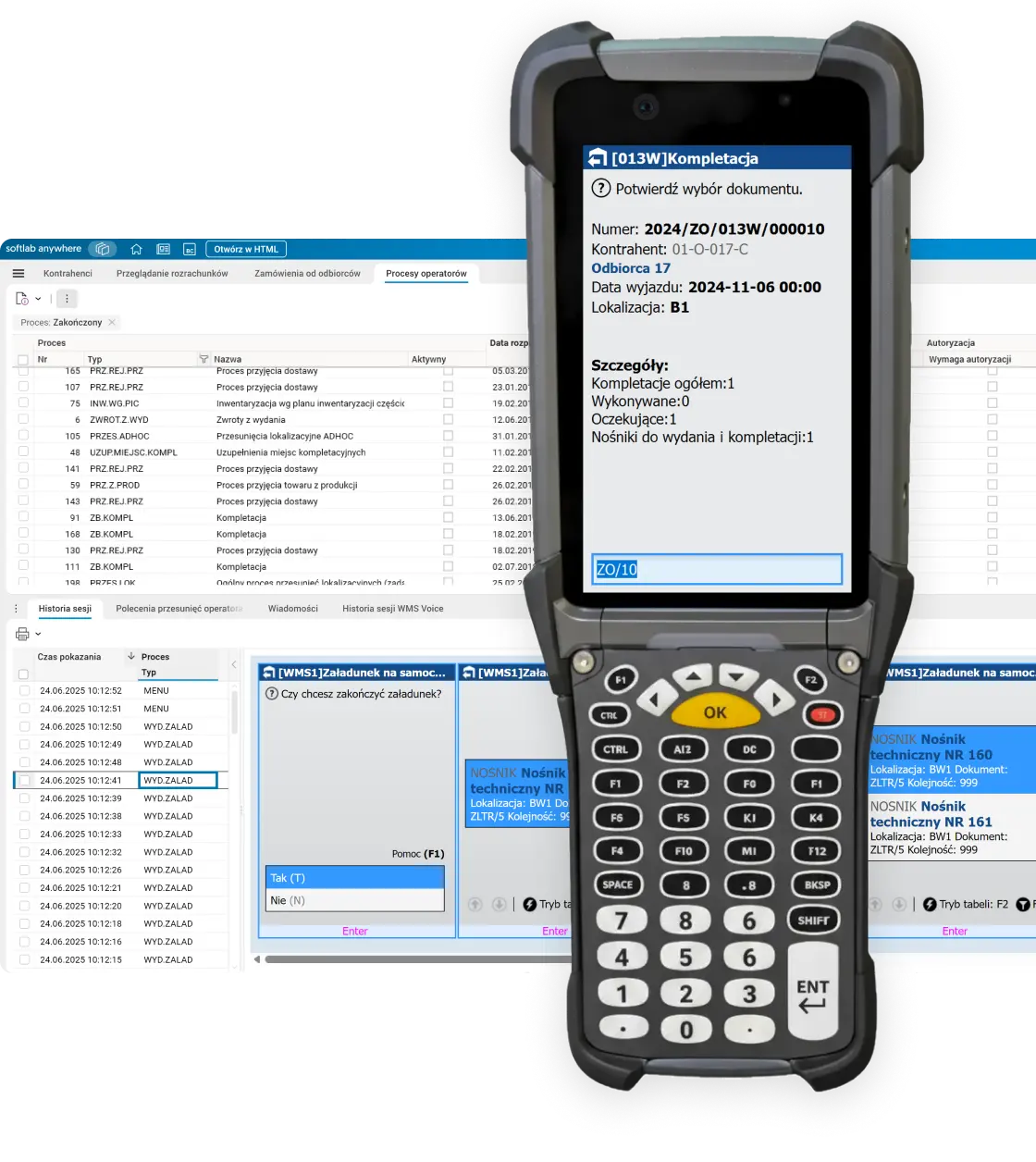
Terminals
The app on radio terminals guides the warehouse worker step by step, blocks moving on after a mistake, and supervisors can remotely check the full operation history.
- An error stops the process instead of passing through. The system does not let you continue after a mistake and shows the correction instead.
- Instructions are clear, not open to interpretation. The intuitive design guides the warehouse worker step by step, reducing the need for extra training.
Automation
Asseco Softlab WMS integrates with warehouse robots (AutoStore, Exotec), the Put to Light system, and conveyors, sorters, label printers and cameras. Voice picking is described in the Voice picking card.
- People and robots in one task plan. The system coordinates the work of warehouse staff and automation instead of running them separately.
- Put to Light shows where to put the goods. Lighting up the right container reduces picking errors.
- Robots also work in receiving, not only in dispatch, and take up less space than a traditional rack. The same container transport mechanism handles both sides of the process, saving warehouse space.
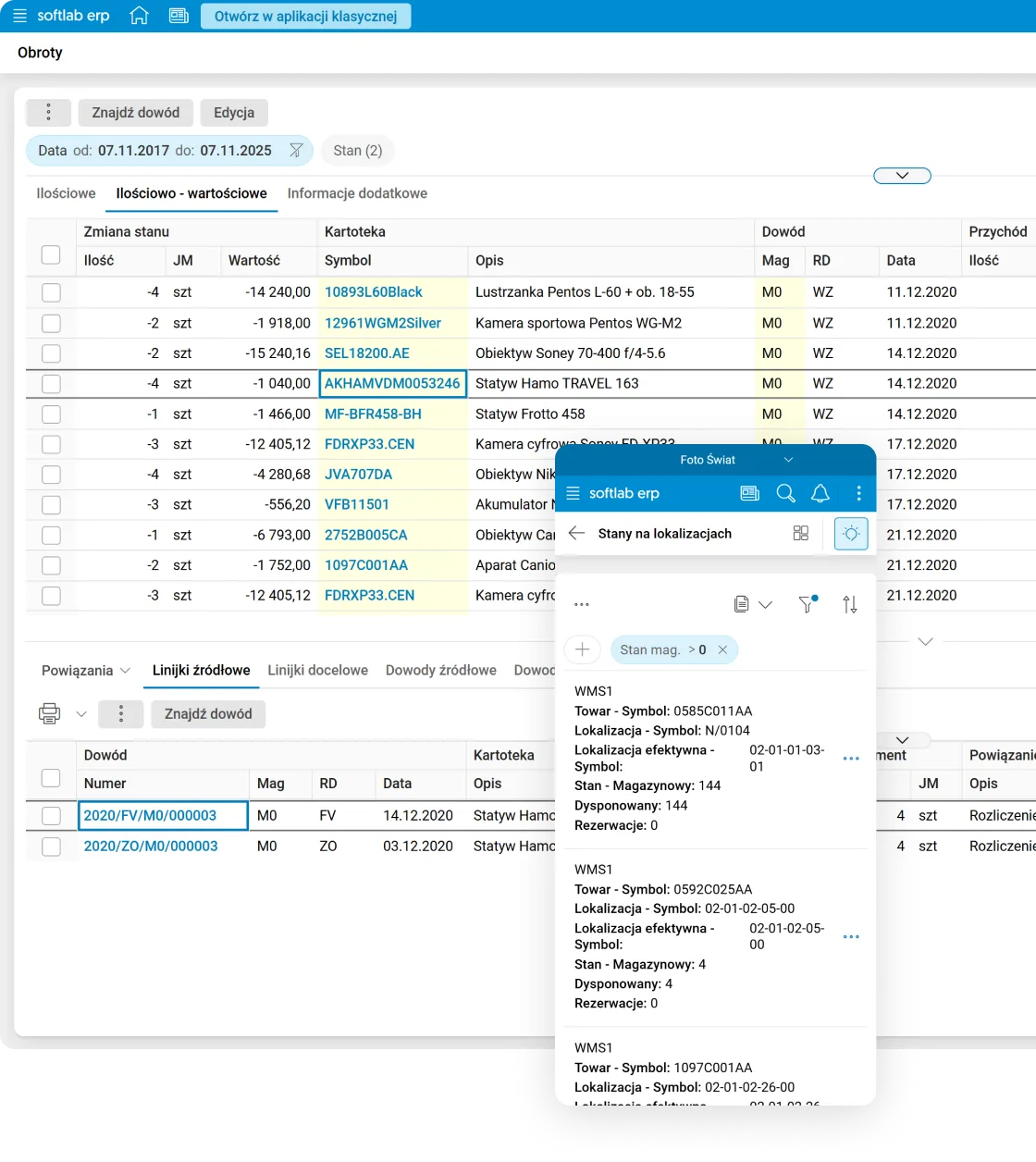
FMCG
Batch numbers and expiry dates follow the goods automatically at every stage.
- Batch and expiry date from the first scan. The information follows the goods from receipt to dispatch, not only on the label.
- Batch recalls without guesswork. Dispatch history with batch and date lets you recall a specific batch precisely.
- See the risk before you need to move goods. An online quality block flags approaching expiry dates without physically reorganising the warehouse.
- Variable-weight codes handled like standard ones. Variable-weight goods such as meat, cold cuts or cheese blocks do not need a separate handling path.
CRM with a complete view of the customer relationship
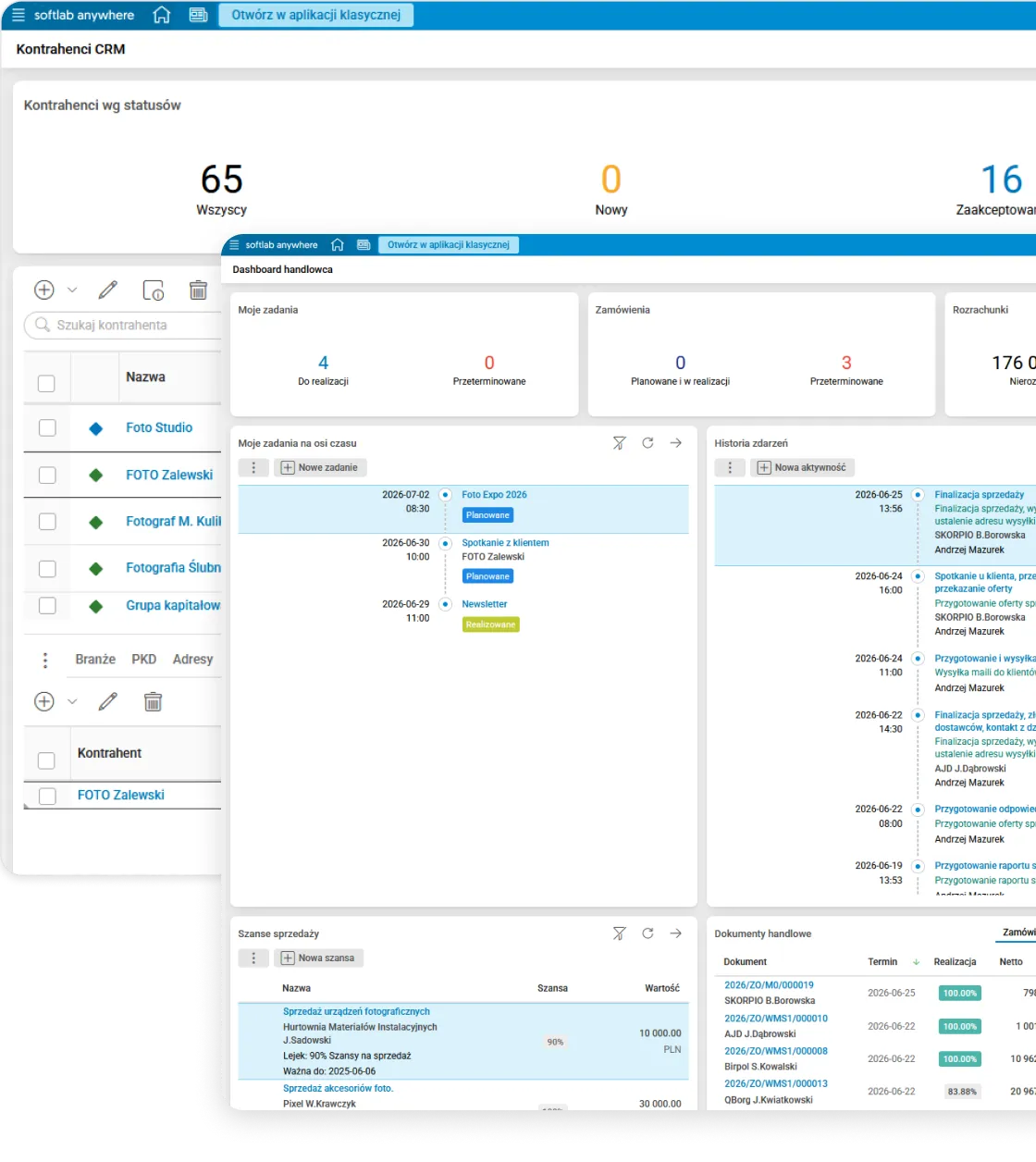
Asseco Softlab CRM connects sales activities with data stored in the ERP. Sales reps work on shared customer records and information about quotes, orders, receivables and the history of cooperation, instead of re-creating them in a separate application.
Work organisation
A sales rep’s work organises itself: the dashboard, assigning new customers and tracking deadlines do not require separate tools or remembering everything.
- The sales rep dashboard in one place. Tasks, orders, receivables and current-year sales are visible right after login, next to sales opportunities, event history and the calendar, and a chart compares sales over the last three years. Customer and contact records, leads and opportunities do not live in a separate application.
- A new customer goes straight to the right account manager. Regions linked to postal codes assign the account manager automatically when you add a business partner with an address.
- No deadline slips through. Notifications warn about upcoming and overdue task deadlines, recurring tasks are created on a schedule, and the calendar shows the plan for the day, week and month.
Sales management
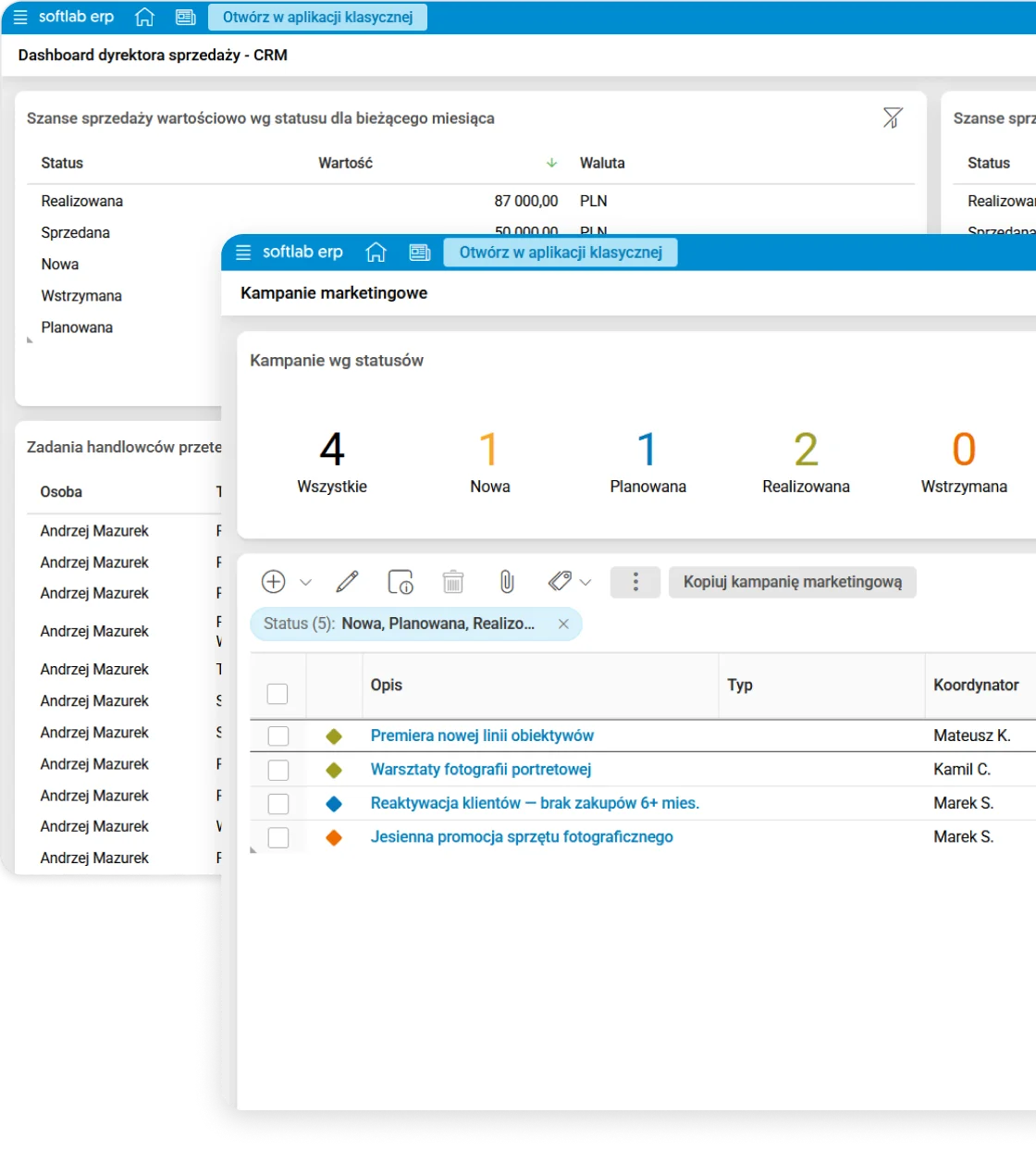
Campaigns, sales opportunities and sales rep targets are based on the same measurable data, not on declarations or a name alone.
- A campaign reaches a selected group, not everyone at once. A marketing campaign can target business partners by industry or your own classification, for example number of employees or turnover, and its progress shows in task completion, campaign stages and the number of active and won business partners.
- A sales opportunity has a value, stage and probability, not just a name. Categorisation by product or territory organises the sales funnel, and access to individual opportunities depends on role and position in the hierarchy.
- Sales rep targets calculated from data, not declarations. The manager sets targets for sales reps, for example the number of activities per month or customers acquired, and the system calculates their achievement. The sales director dashboard shows target progress, overdue tasks and the TOP 10 open and lost opportunities.
Customer data and rating
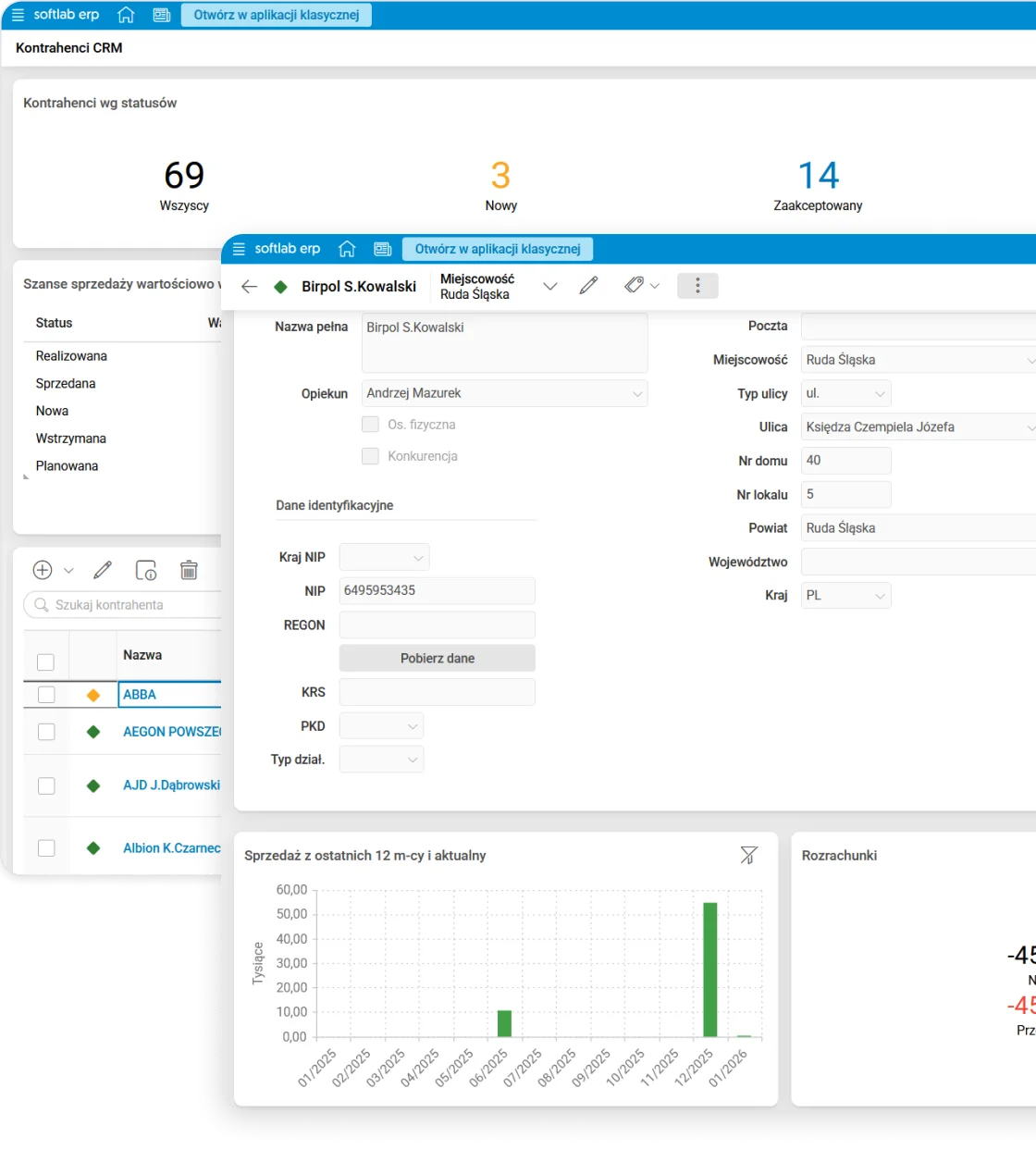
The business partner record grows with the relationship and is rated with numbers from the ERP, not just the sales rep’s impression.
- Sales data linked to the ERP. The history of cooperation, orders, invoices and receivables of a business partner, and for an opportunity also the quotes linked to it, are visible without switching applications.
- Create a business partner with just a name and add the rest later. Full registration and contact data and the industry can be added gradually as sales activities progress, and when the customer starts buying, one procedure creates them in the ERP, first checking by tax ID (NIP), REGON, phone or e-mail that they do not exist there already.
- A customer rated with numbers, not impressions. The system calculates sales, balance, overdue receivables, credit limit usage, margin, payment reliability and the RFM score for each business partner, and the change history shows how these values have changed over time.
Proven in practice: Asseco Softlab ERP implementations
Sample implementations of Asseco Softlab ERP: different scale, different industry, the same system.
How Edu-Książka handled a tenfold increase in orders at peak season without new hires
Industry: Publishing distribution: books, textbooks, toys, games
Scale: Nationwide distributor, a chain of 11 Bookland bookshops, omnichannel sales (B2B, B2C, marketplaces)
Scope: Logistics and sales, finance and accounting, integration with an external WMS and other external systems
“When the company started to grow, our previous system could no longer keep up. Performance drops and unintuitive work began to hold back our growth.”
Agnieszka Dzieszko-Szymańska, Chief Operations Officer
How ILS synchronised 205 Skypod robots with Asseco WMS in one process
Industry: Automotive: parts, accessories and consumables
Scale: Logistics centre in Zakroczym serving all of Central and Eastern Europe, hundreds of thousands of SKUs
Scope: Asseco WMS as the main integration module with the Skypod system (Exotec), conveyors and sorters
How Makarony Polskie implemented a WMS with traceability and FEFO control in food production
Industry: Food: producer of pasta and ready meals
Scale: Four locations (Rzeszów, Częstochowa, Korpele, Stoczek Łukowski), working with Asseco Business Solutions since 2010
Scope: Asseco Softlab WMS: multi-warehouse operations, traceability, batch control (FEFO), GS1 labels, extension of the existing ERP (production, sales and logistics, finance, HR)
“Implementing the WMS is a step towards better understanding and managing warehouse operations. It is the key to optimising stock, reducing costs and increasing customer satisfaction.”
Artur Woźniak, Managing Director
More implementations on video
What Asseco Softlab ERP clients say

“Today the company is successfully issuing invoices in the KSeF production environment, and thanks to the support of our technology partner, Asseco Business Solutions, this demanding implementation was completed with full success.”

“Elemental Strategic Metals has significantly improved its operational and financial processes thanks to the implementation of Asseco Softlab ERP. Integration with the future MES system will let the company automate its processes even further and increase production efficiency.”

“Asseco Softlab ERP has undoubtedly made management across the whole company much more efficient. Previously we used a number of scattered IT solutions, which caused many problems. With the move to Asseco Softlab ERP we gained central control over all business processes.”

“Thanks to the implementation of Asseco Softlab ERP, new business opportunities have opened up for our company. We can now produce and distribute our products more efficiently and serve our business partners better. Choosing the Asseco Business Solutions solution was a very good decision.”

“When choosing an ERP system, we paid particular attention to innovation. The solutions offered by Asseco BS are at the highest technological level and stand out for their modernity, which lets us stay one step ahead of the competition.”

“Implementing the industry version of Asseco Softlab ERP saved time and the cost of adapting the solution. The new software improved the management of parts and accessories, streamlined the issuing of sales documents and is helping to grow online sales.”

“It was very important for us to integrate Asseco Softlab ERP with the external systems we use, in particular with the laboratory management system, which significantly improved data exchange.”

Which systems integrate with Asseco Softlab ERP?
Asseco Softlab ERP integrates with sales and e-commerce systems, external WMS and warehouse automation, payment operators and couriers, KSeF, banks and public registers, and HR systems. Thanks to these connections, orders, product information and settlement data move between systems without manual transfer.

- including Allegro, Empik, PrestaShop, Otto.de
- Amazon and Amazon Vendor Central
- global HR systems of the group
- local HR and payroll systems
- Exotec Skypod and AutoStore robots
- Put to Light
- sorters, conveyors, diverters
- packing machines, label printers, scales
Integrations with warehouse automation are handled by Asseco Softlab WMS.
- payment operators, including PayPal, AutoPay
- couriers, including InPost, DHL, DPD, GLS, UPS
- PIM systems
- industry solutions
- customer’s specialist systems
- KSeF
- VAT white list
- VIES
- banks, including PKO BP, Pekao, mBank, ING
Don’t see your system here? We build integrations via API, directly between systems or through Business Cloud services. We tailor the scope of connections to the solutions you already use.
Write to us, we will check the connection scopeWhich industries is Asseco Softlab ERP designed for?
Asseco Softlab ERP serves manufacturing, trading, distribution and service companies from more than a dozen industries, from FMCG and e-commerce to automotive and construction. For each industry, we list the features that shape its daily work.
FMCG and food
Batches, expiry dates and FEFO from receipt to dispatch, with fast batch recalls.
WMSRetail
Central price lists, discounts and promotions for chains of shops and showrooms.
Logistics and salesWholesale
Turnover discounts, purchase orders with logistic minimums and a warehouse with automation.
Logistics and salesE-commerce
Orders from online shops and marketplaces on one list, with couriers, returns and payment settlement.
Logistics and salesAccounting firms
Ledgers of many clients in one system: full accounting, KPiR (simplified ledger), VAT and JPK.
Finance and accountingFurniture
Sales of made-to-order fitted furniture with advance payments, transport planning and assembly.
ManufacturingMetal
Orders from recipes, integration with an MES system and production cost calculated per batch.
ManufacturingAutomotive
Hundreds of thousands of part numbers and a warehouse with Exotec Skypod robots.
WMSElectrical
Selling cable by the metre, recording cable lengths on drums and tracking drum circulation.
Logistics and salesConstruction
Project budget and schedule, costs, tool store and machine fleet in one system.
Finance and accountingPackaging production
Raw material on rolls matched to the order, labels for traceability and the cost of each order.
ManufacturingHR in logistics
Rosters for five working time systems, time recording and handling high turnover of warehouse staff.
HRHow is Asseco Softlab ERP implemented?
A dedicated Asseco Business Solutions team guides you through the implementation of Asseco Softlab ERP.
Needs and pricing
We learn about your goals, present the system and give an initial project cost estimate.
Analysis and plan
We describe processes and integrations and agree on the scope and schedule of work.
System preparation
We configure processes, prepare integrations and migrate data.
Testing and training
Your team learns the system and tests it on real work scenarios.
Go-live and support
We help you start working in the system and support you after go-live.
Implementation time depends on the project scope, data migration and integrations.
Contact usHow much does
Asseco Softlab ERP cost?
Asseco Softlab ERP in the cloud costs from PLN 545 net per user per month. The package includes a minimum of 5 users, and the contract is concluded for 24 months. The final price depends on the deployment model, number of users, scope of processes, data migration, integrations and implementation work. Implementation is priced individually.
Current terms of the cloud package and the option to prepare an initial configuration are on the price list page.
- minimum 5 users (from PLN 2,725 net/month)
- 24-month contract
- implementation priced individually
Frequently asked questions about Asseco Softlab ERP
Content last updated:

 Wapro ERP